
Vital BizForm
How can I remove users from an organization?
There are two ways to remove users from an organization:
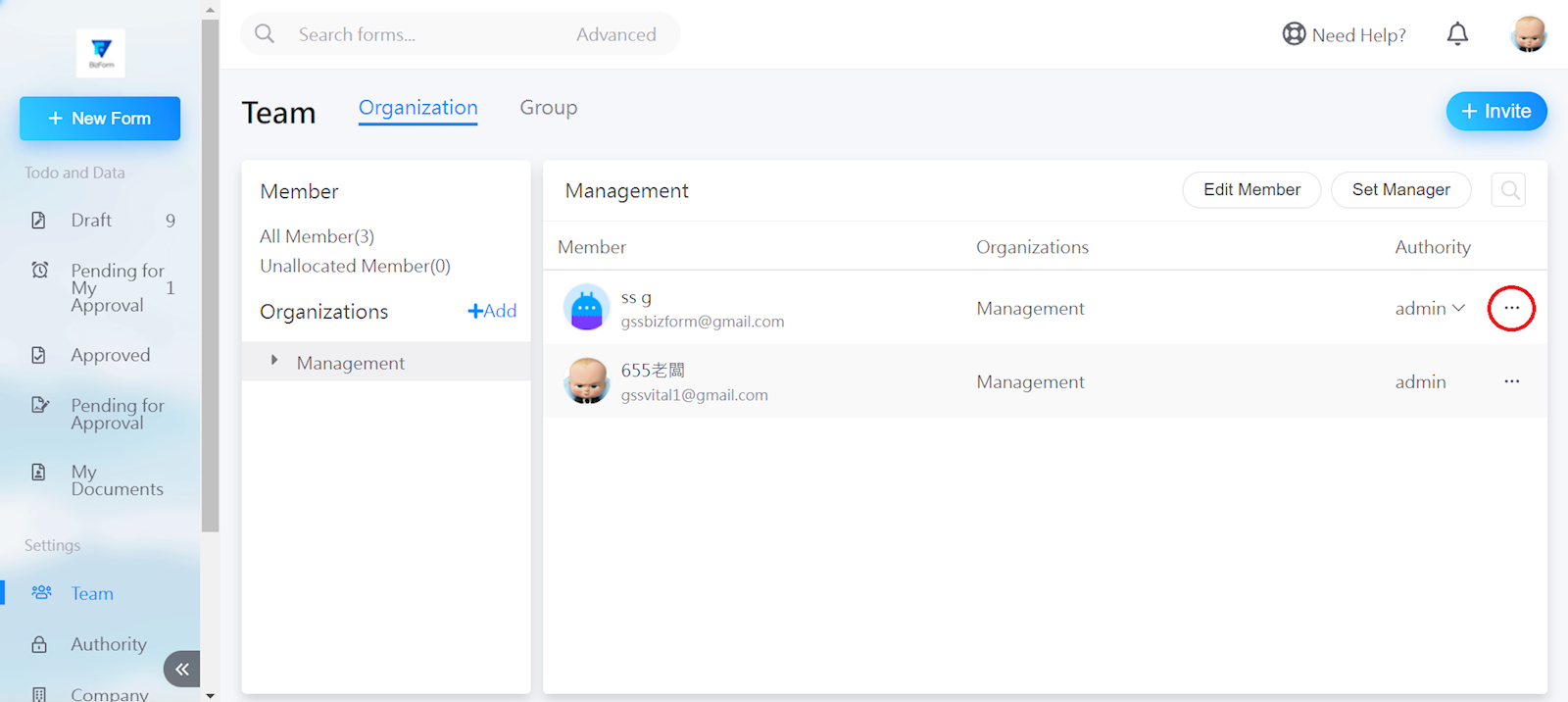
First, go to the organization interface and find the user which you wish to remove.
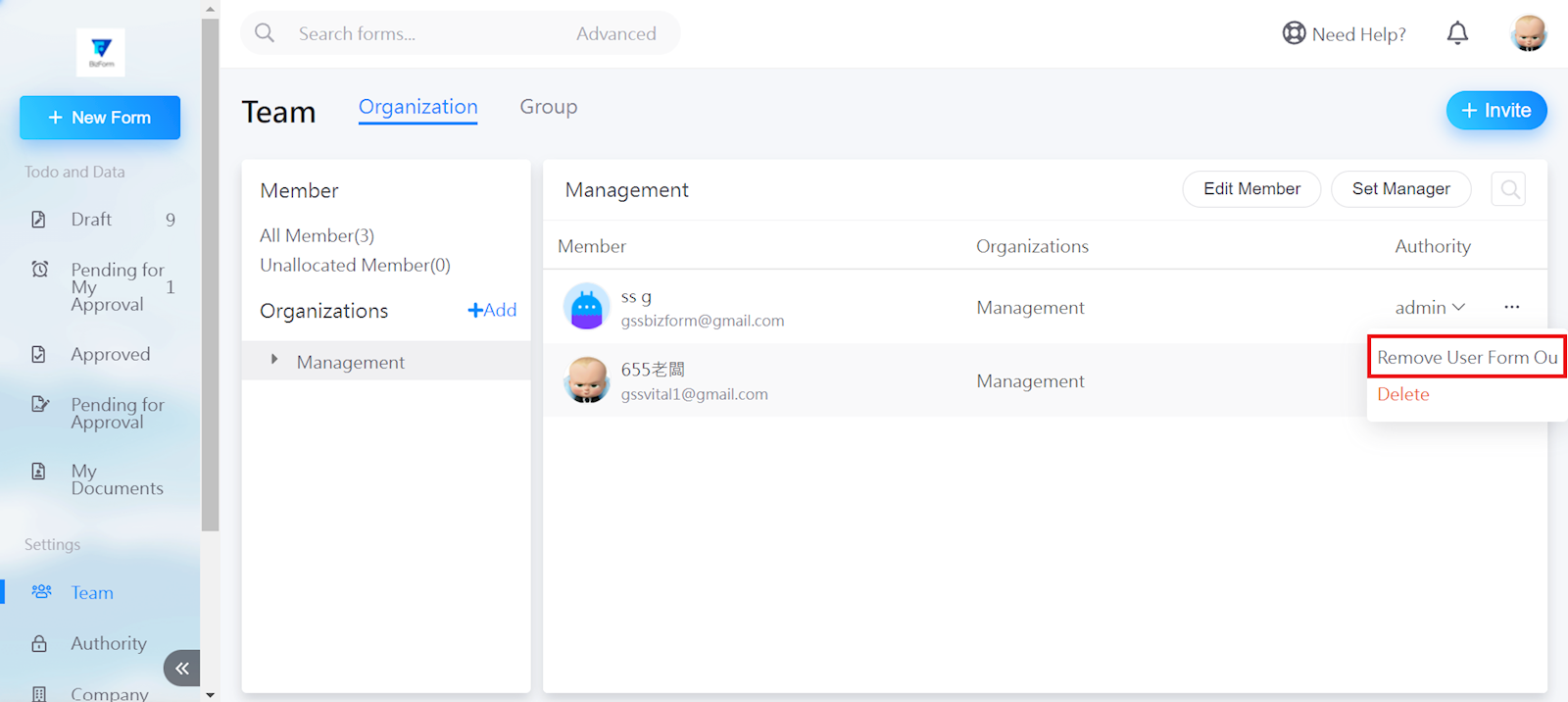
Method 1. Select the three dots to the right of the user.
Select [Remove user form ou].
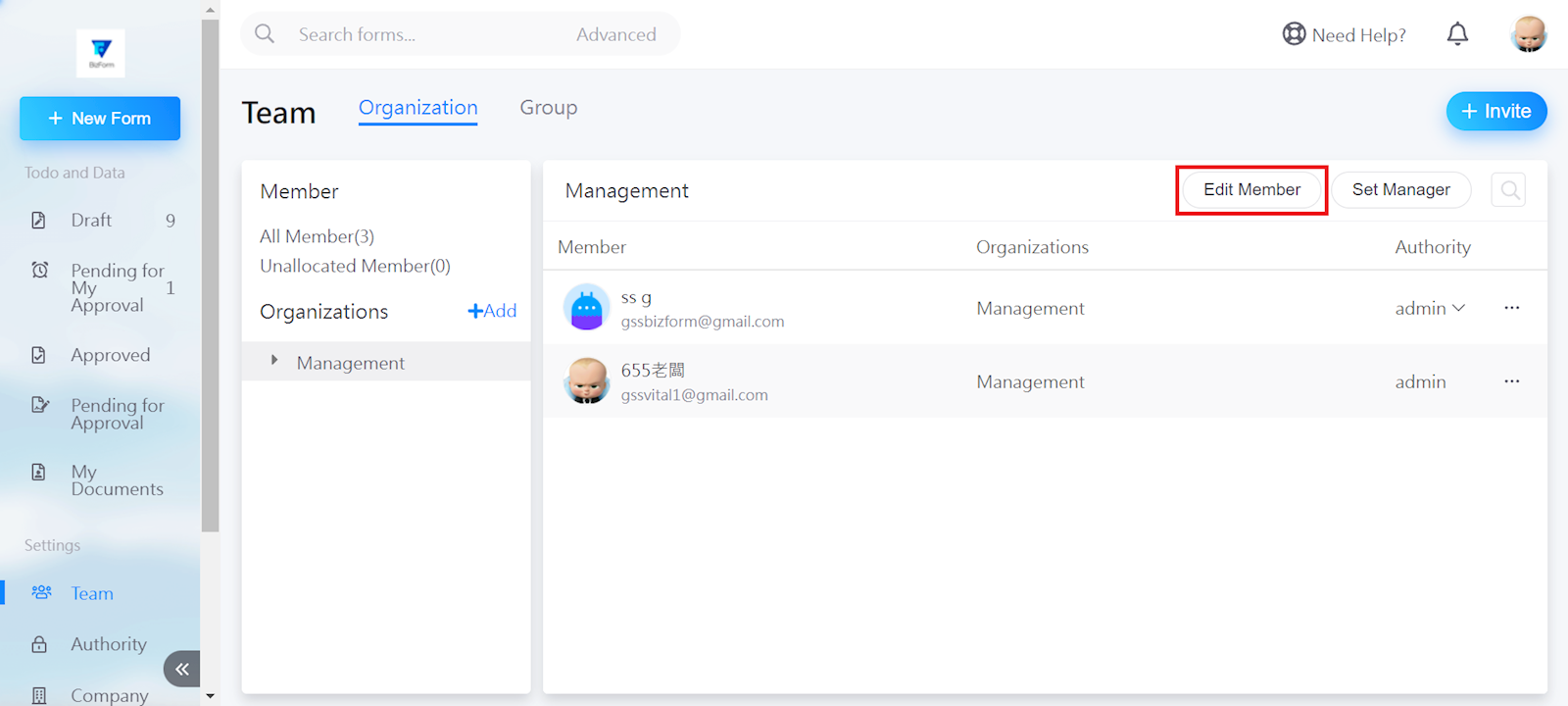
Method 2. Select [Edit member].
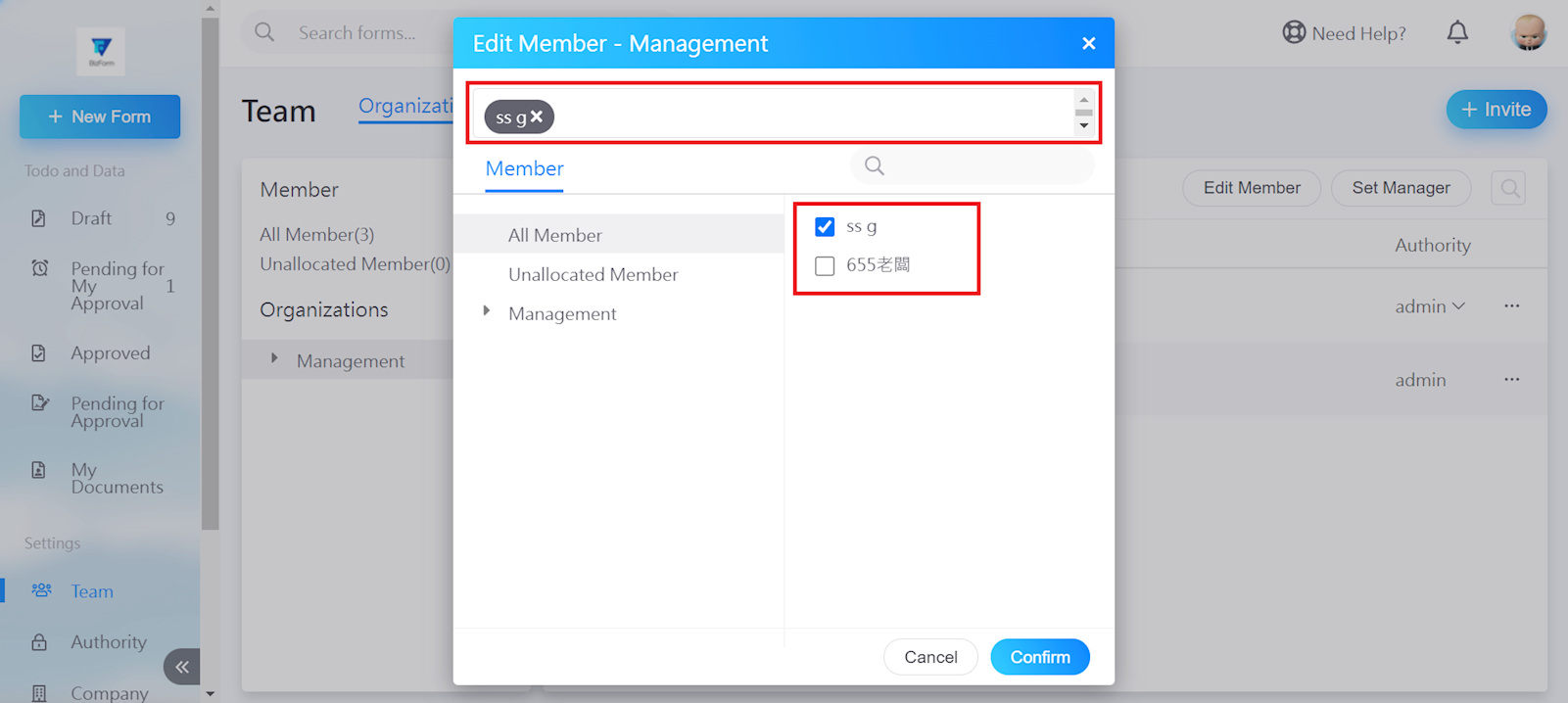
Uncheck the users from the box.
https://faq.vitalyun.com/EN/BizForm#2923