
Vital BizForm
How do I use seals?
The seal function enables you to show your department, name, title, time, etc. in approval form results. It is presented in the form of a stamp, looking as if an acutal seal was put on the printed documents. Follow the steps below to set up the seal:
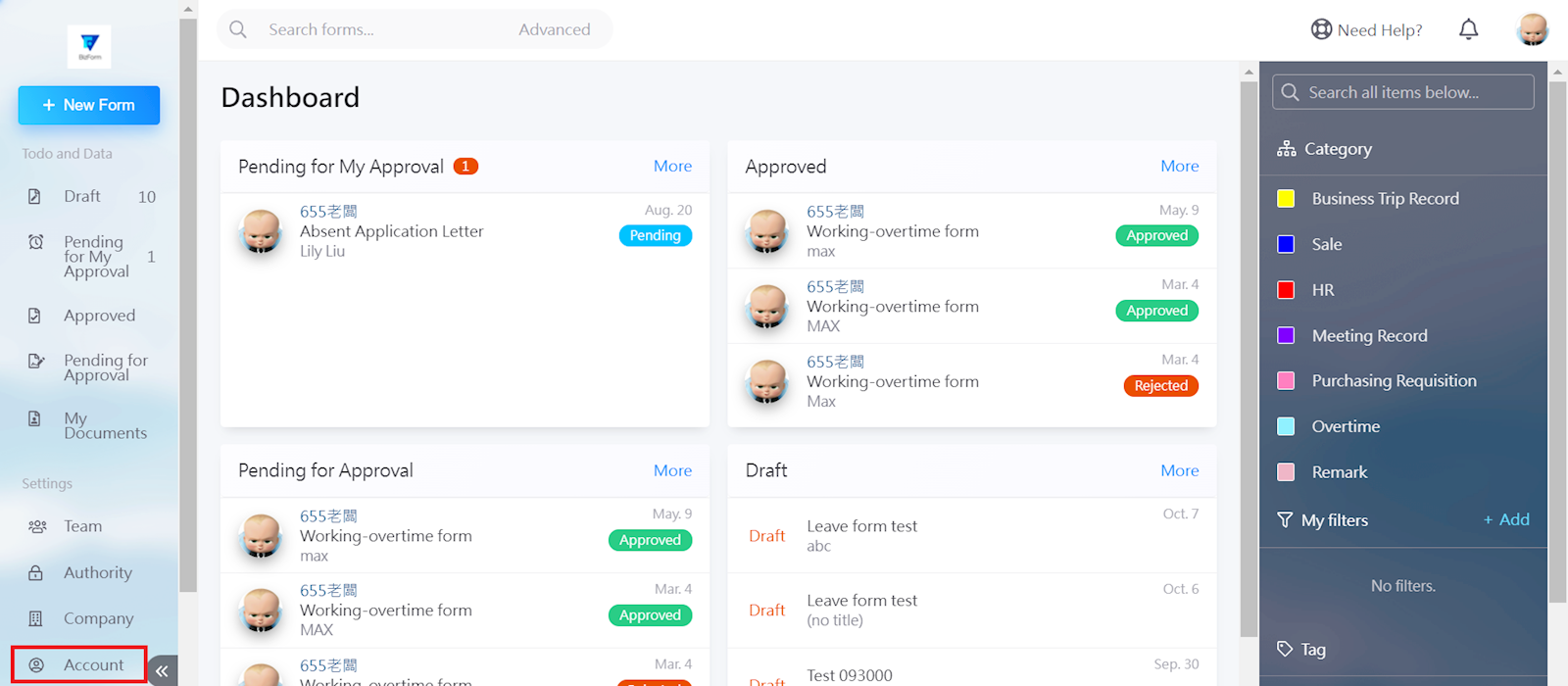
Go to [Account] in the left menu.
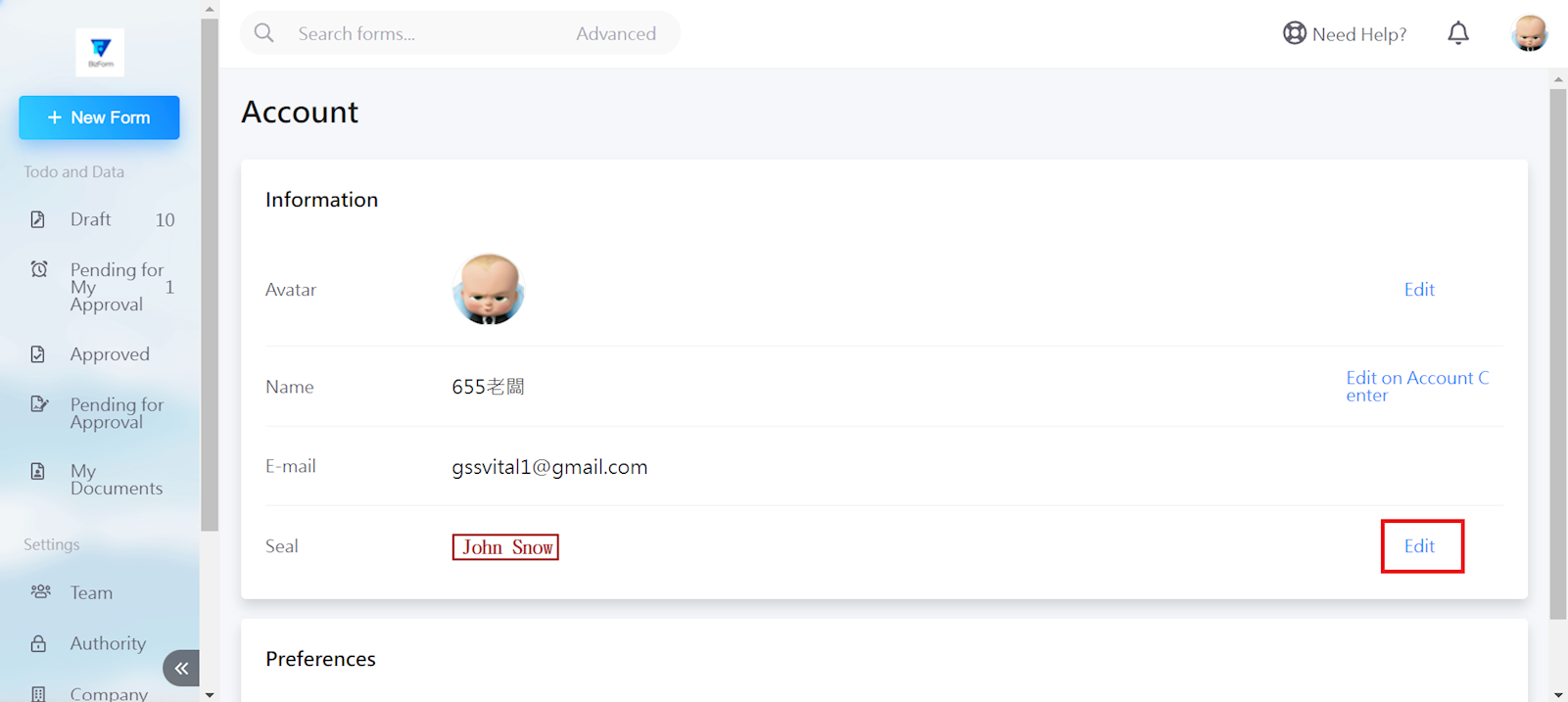
Select [Edit] to the right of the seal column.
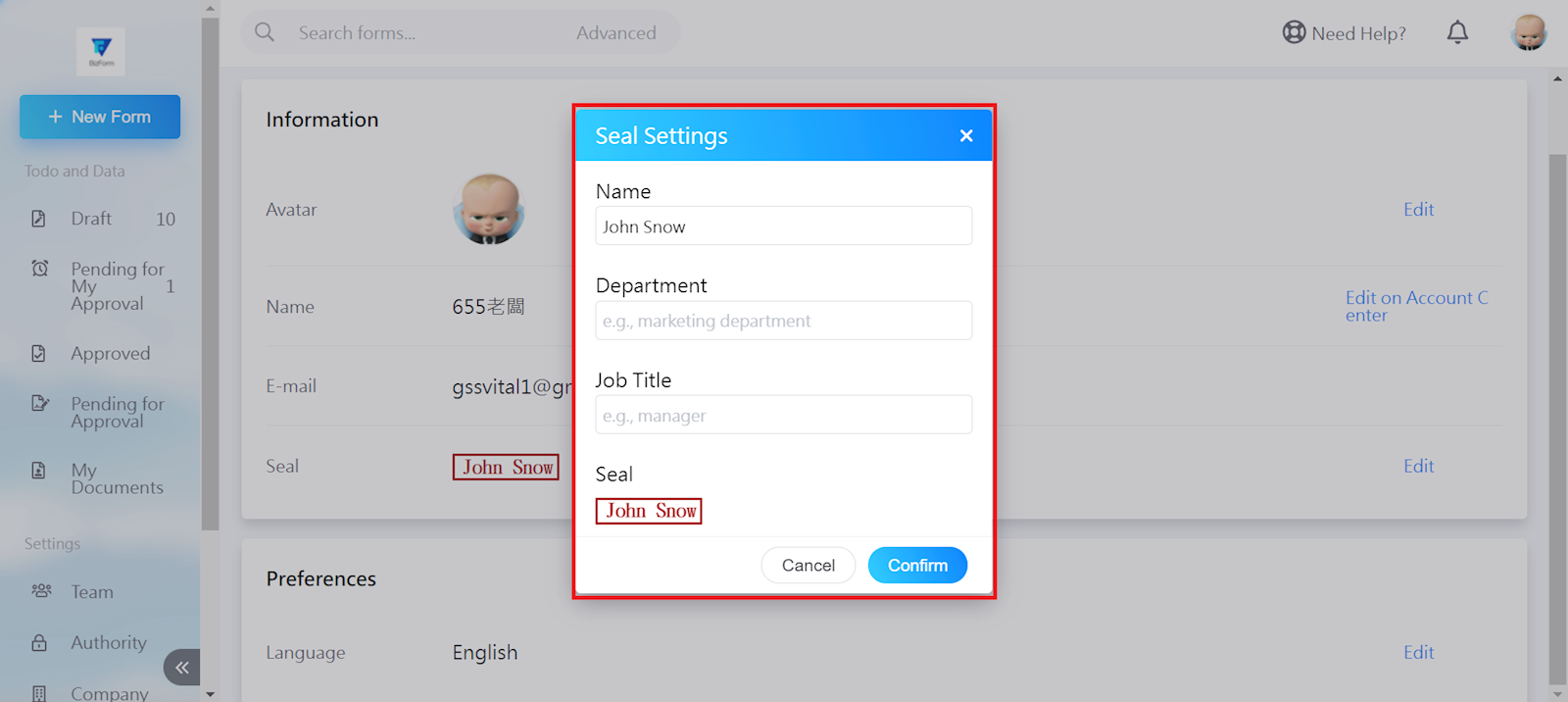
Next, enter the Name, Department, and Job Title, then click [Confirm].
https://faq.vitalyun.com/EN/BizForm#2931