
Vital GL
How can I compare the budget with an actual, comparable report?
Add an "Income and expenditure statement" in Report settings, and the income and expenditure statement and budget options will be shown in the "Income statement" for viewing.
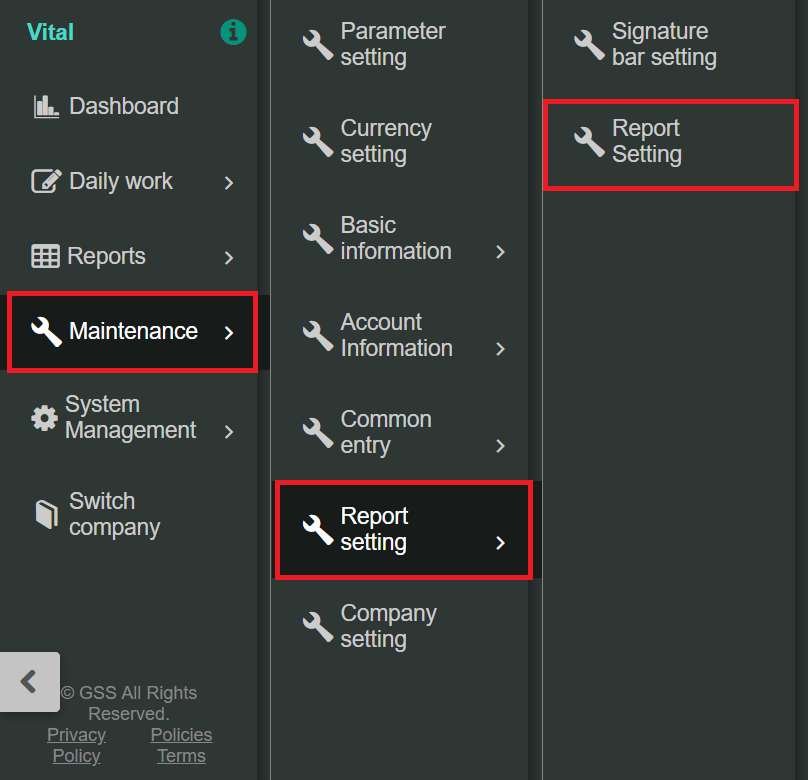
1. Go to [Maintenance] > [Report setting] > [Report setting].
2. Select [+Add] in the top right corner.
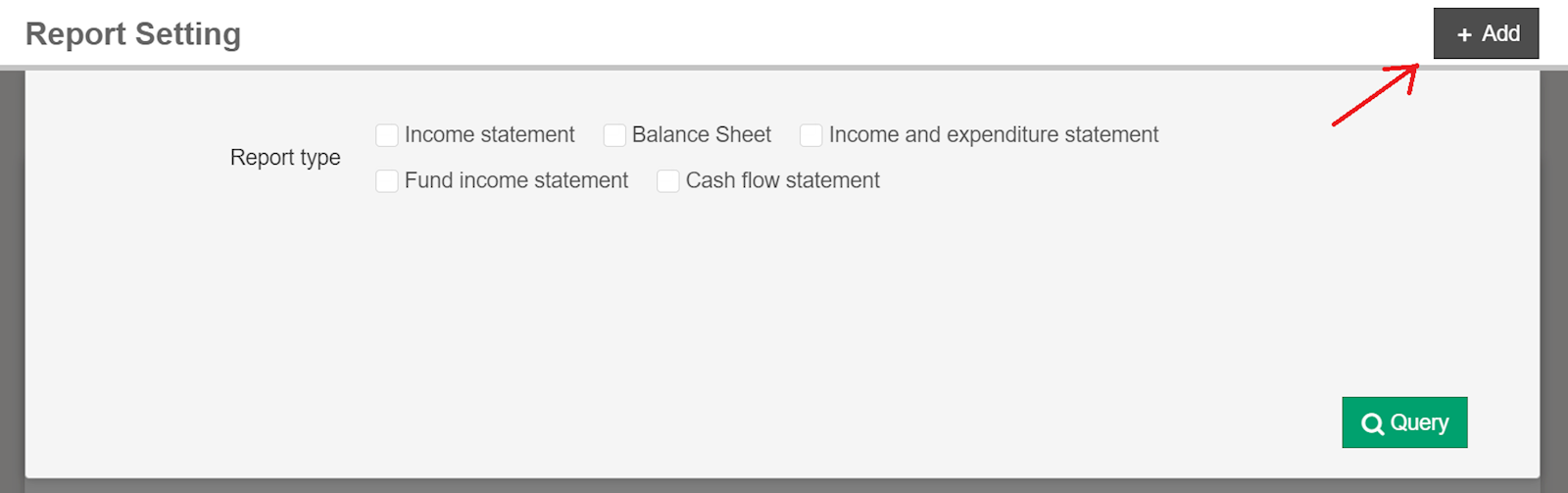
3. Choose "Income and expenditure statement."

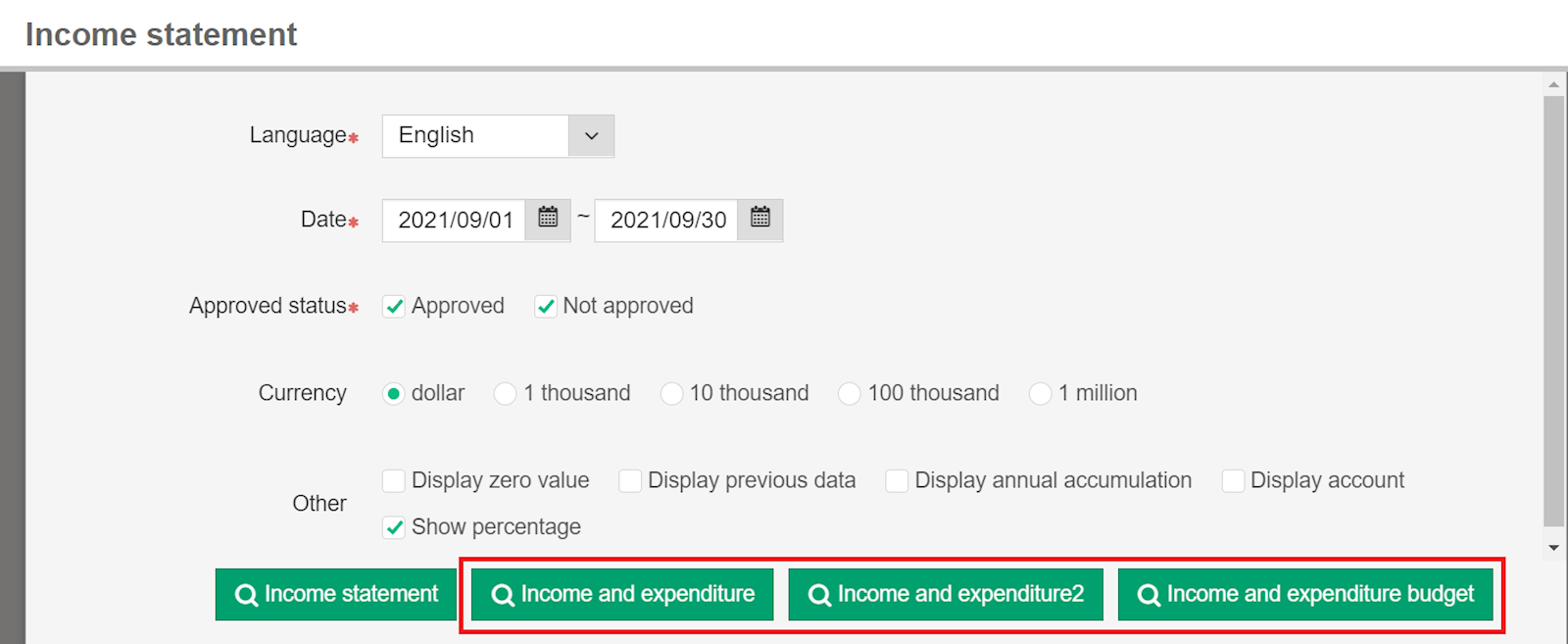
4. After setup is completed, return to "Income statement" and the income and expenditure statement and budget buttons will be shown in the bottom right corner.
https://faq.vitalyun.com/EN/Finance#2794