
Vital BizForm
How do I use the formula field type?
Similar to the calculation formula in Excel, calculation (addition, subtraction, multiplication, division..) can also be done when designing the form.
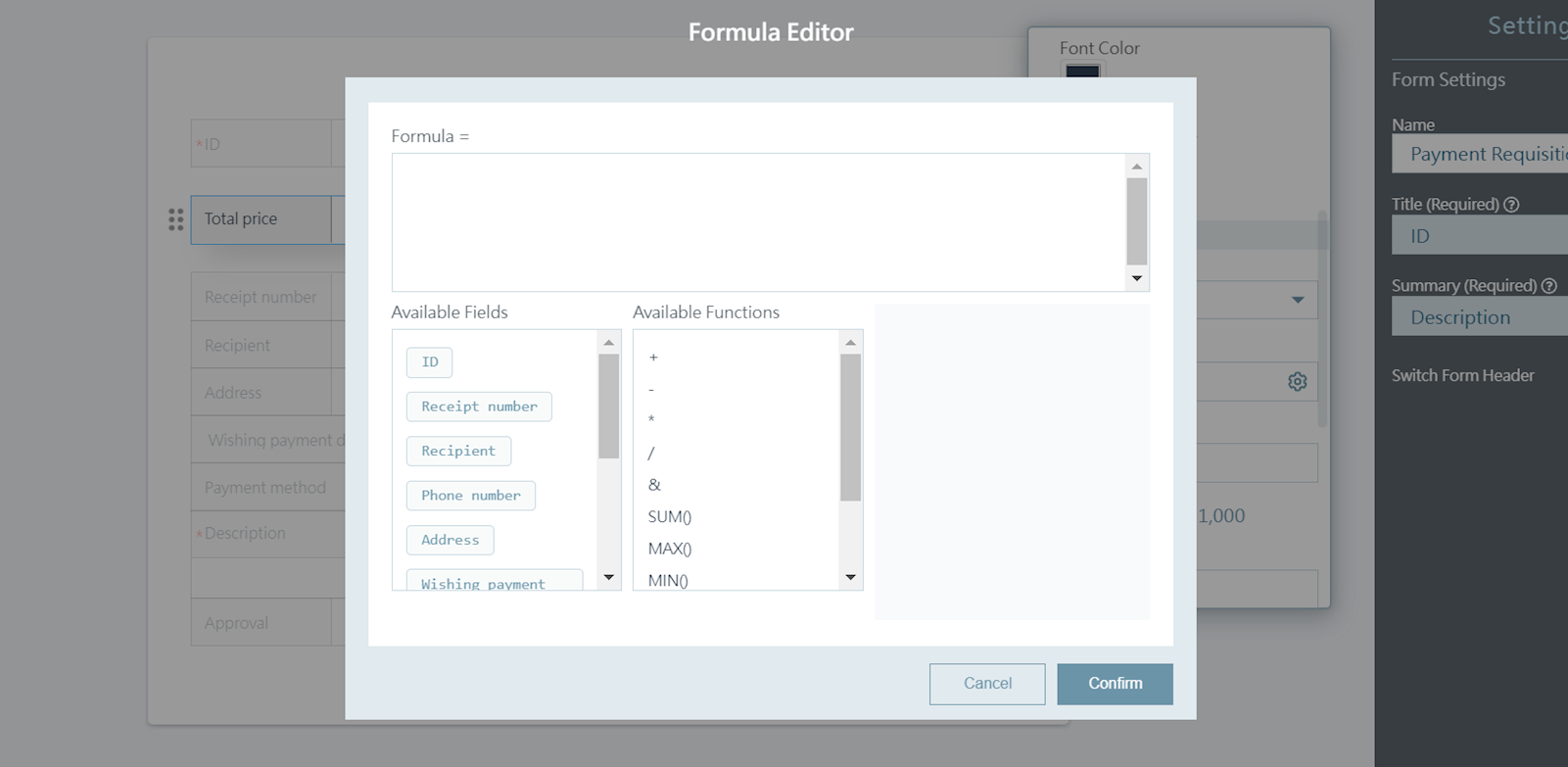
Choose [Formula] in the "Fields type" and go to settings in the "Formula" column. In the Formula Editor, click the fields and functions to set up formula. You can also add up the total amount of multiple columns, just like Excel.
https://faq.vitalyun.com/EN/BizForm#2957