
If I receive a payment in advance, I would like to allocate it to every month; how to generate vouchers of every month in the system?
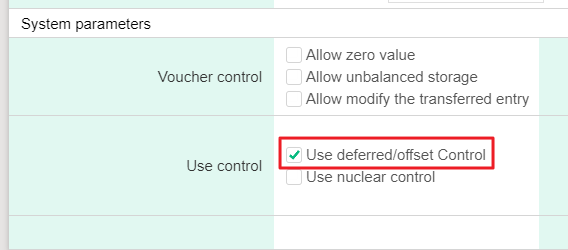
1. Please click [Maitenance> Parameter setting] and check[ Use deferred/offset Control].
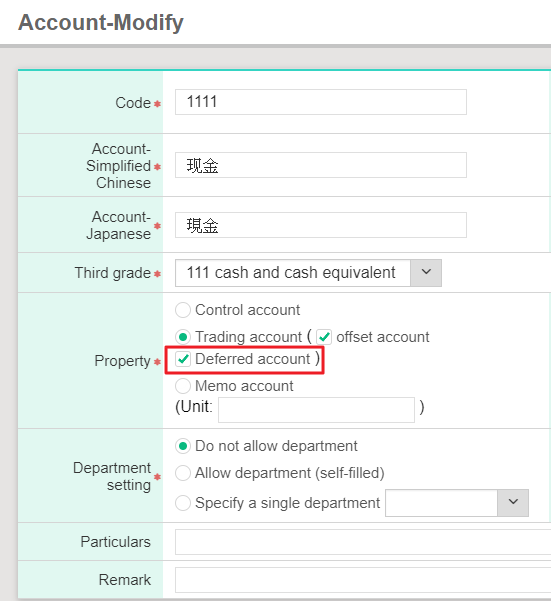
2. Click [Maintenance> Account information> Account] and set up the account you would like to use as [Deferred account].
3. After setting up, please click [Daily work> Voucher input] to add vouchers, and click [Save].

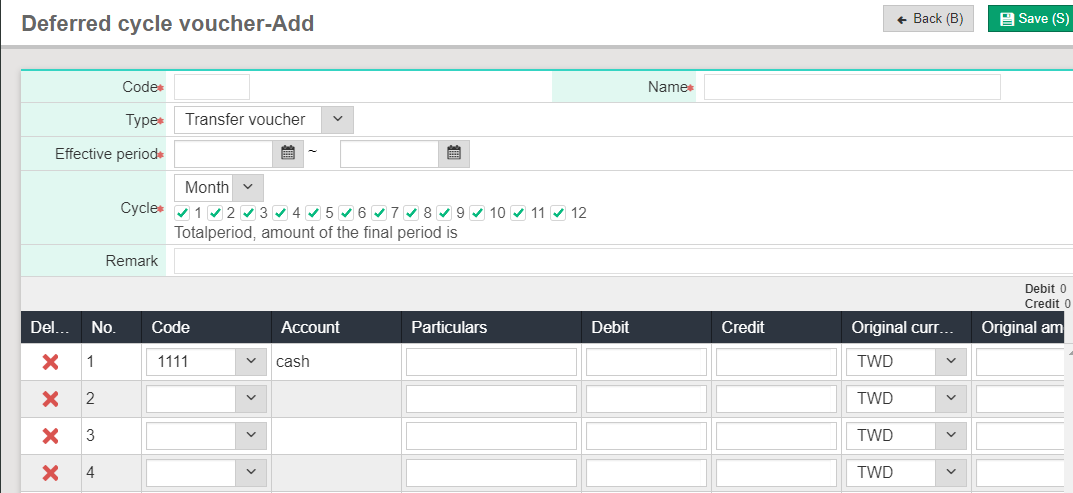
4. After saving vouchers, please click [Save as cycle], and the screen will turn to Deferred transfer voucher- Add. Please input [Effective period] and [Cycle], and the system will automatically calculate the amount of each period; after inputting, please click [Save].
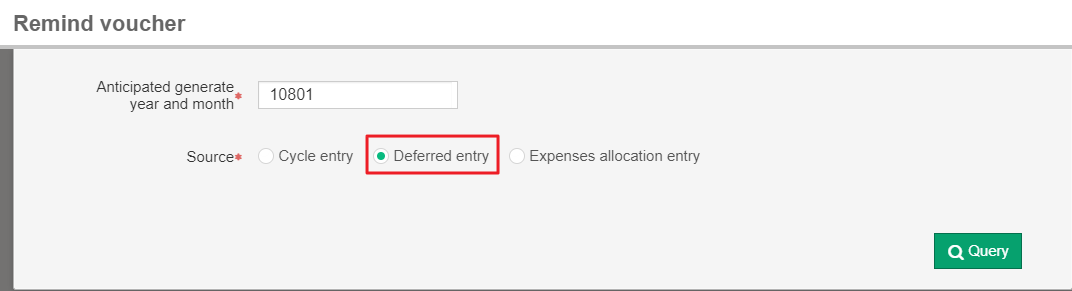
5. Please click [Daily work> Remind voucher] to generate vouchers every month and check the [Source] you would like to generate and [Anticipated generate year and month], then click [Generate voucher] and the system will generate a voucher.
6. Go back to [Daily work>Voucher input] to query, and you would see the voucher you have just generated.