
Vital GL
How can I insert a blank column in voucher input?
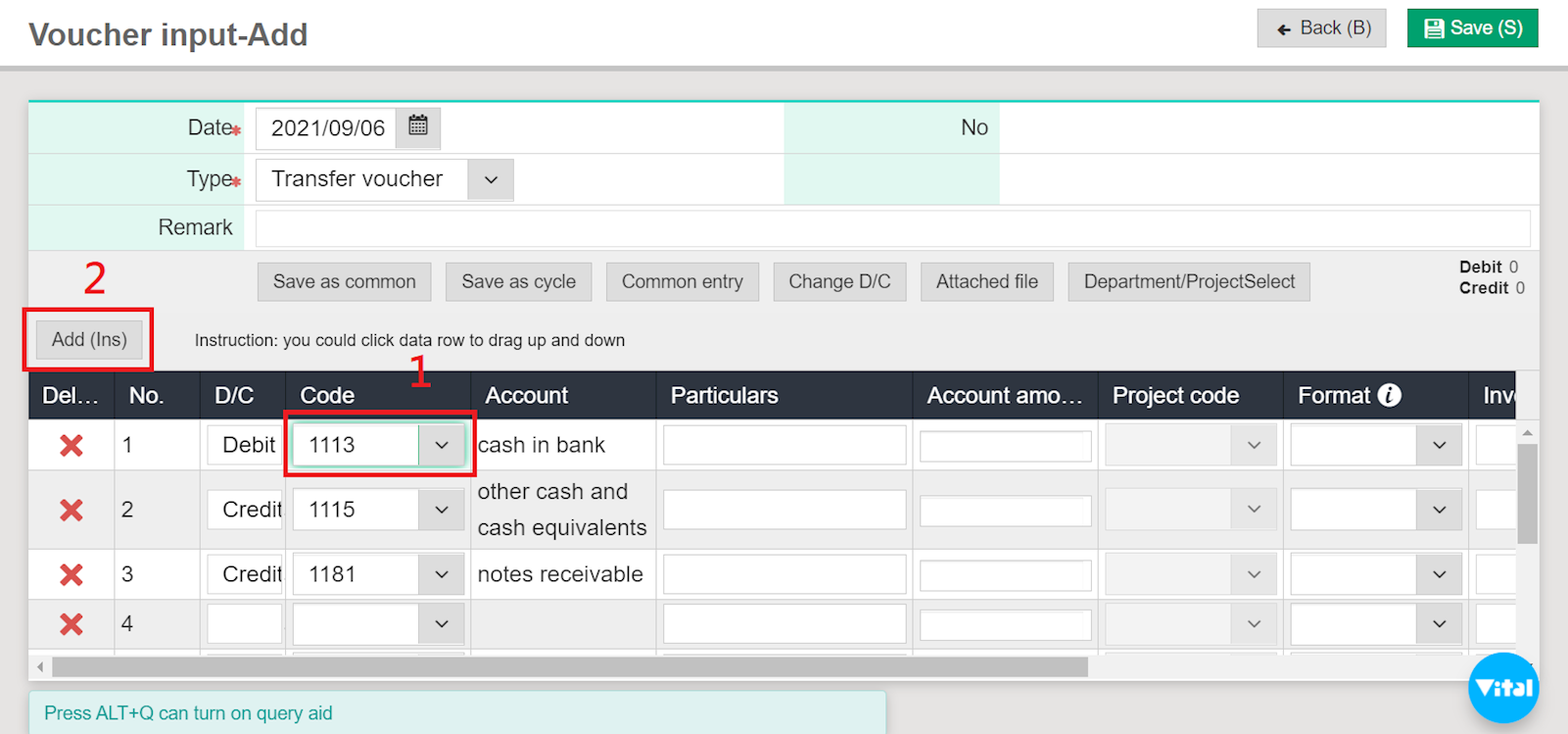
Click and leave your cursor on the column before the one you wish to insert a blank column, then select [Add (Ins)].
For example, if you wish to insert a blank column between columns 1 and 2, click and leave your cursor on the "Code" column and select [Add (Ins)].
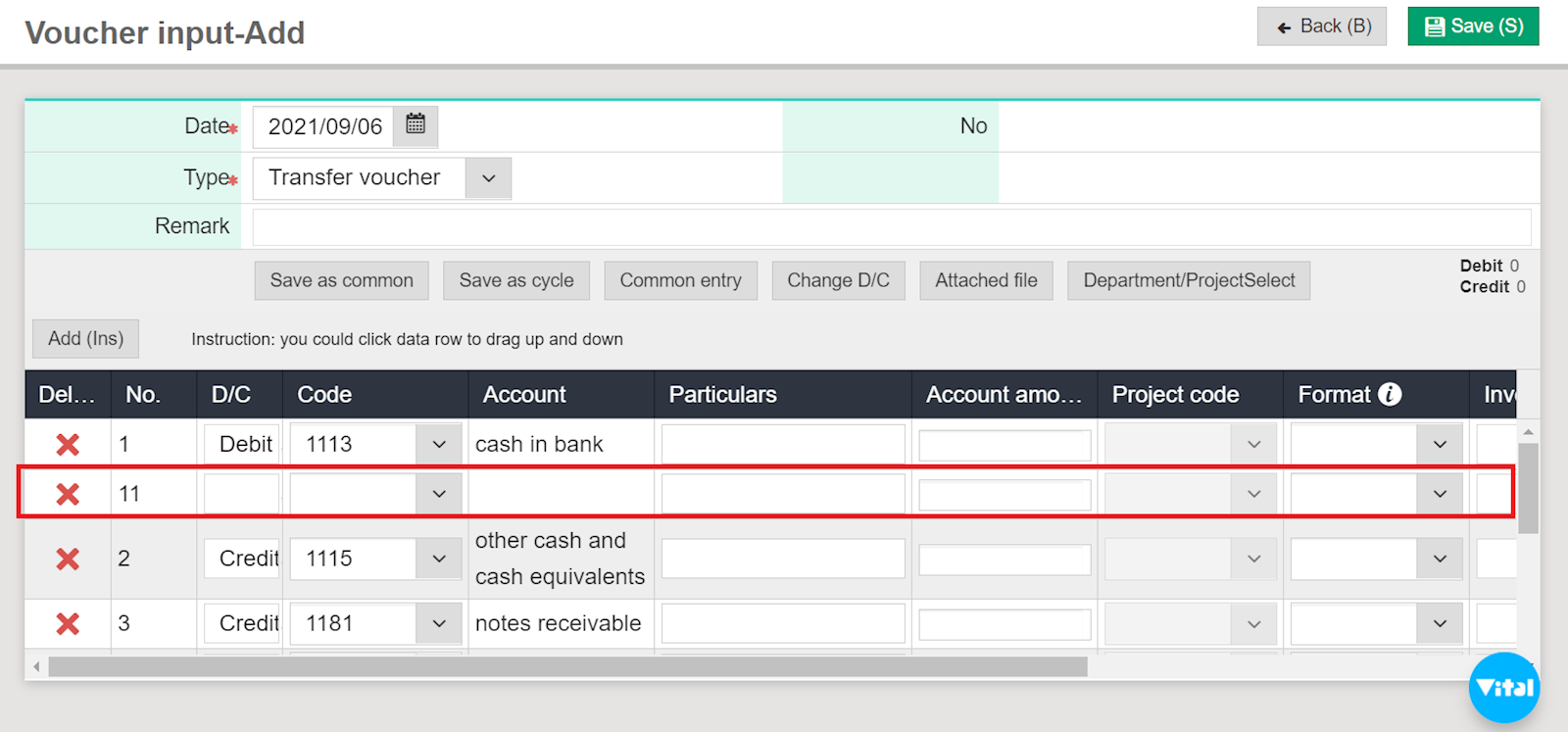
The system will automatically create a blank column between the two columns.
https://faq.vitalyun.com/EN/Finance#2829