
Vital BizForm
How do I add an image column?
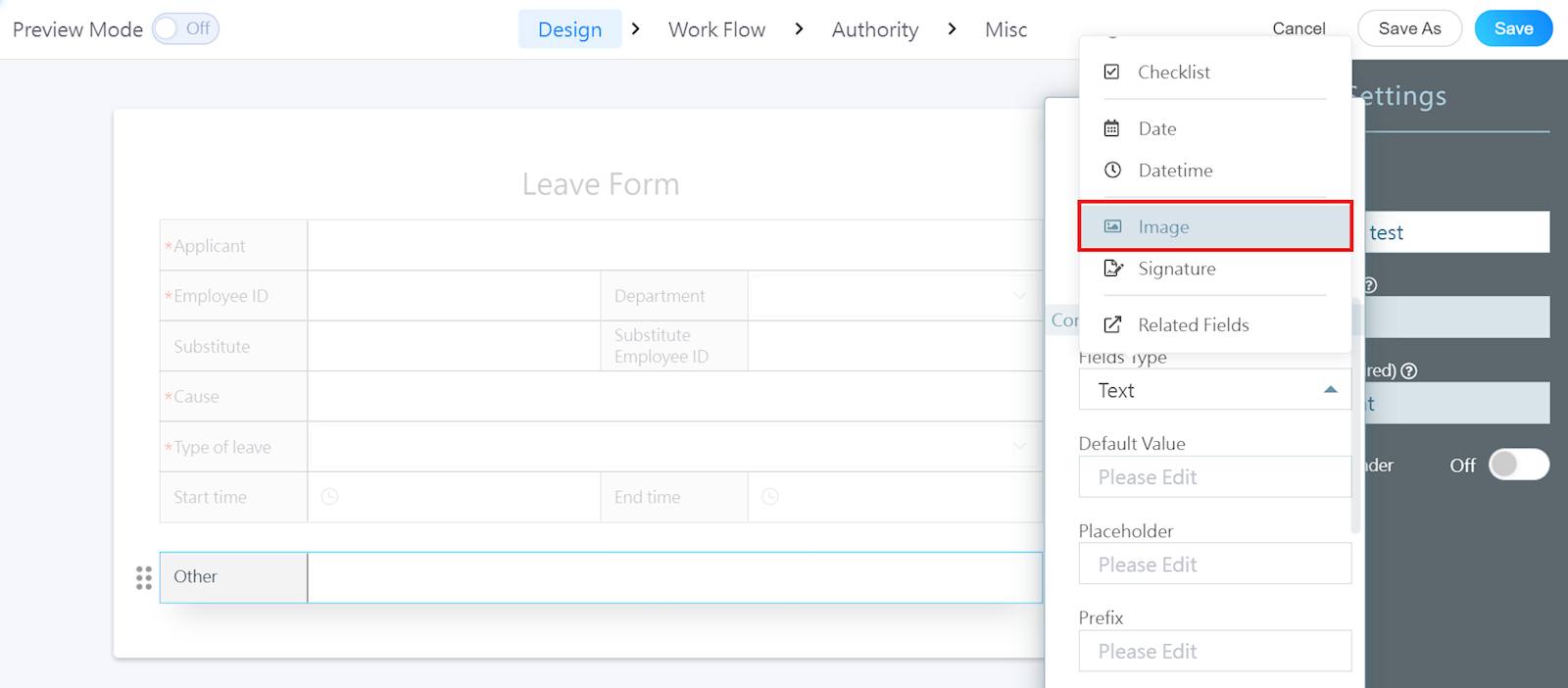
When designing a form, add a new column and change the "Fields type" to "Image."
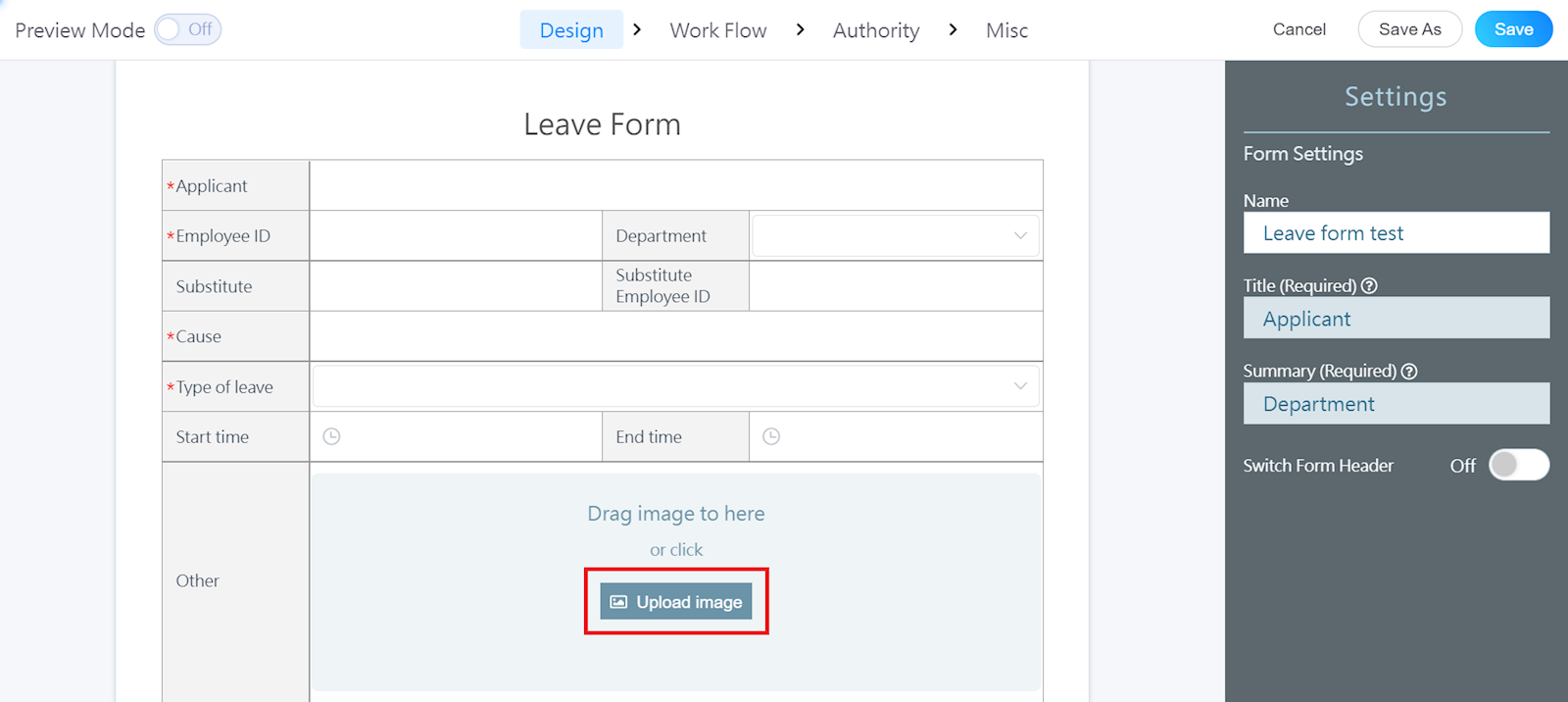
By doing so, the applicant can upload his/her own image or do so by dragging the image into the box.
https://faq.vitalyun.com/EN/BizForm#2925