
Vital BizForm
How do I remove members from an organization?
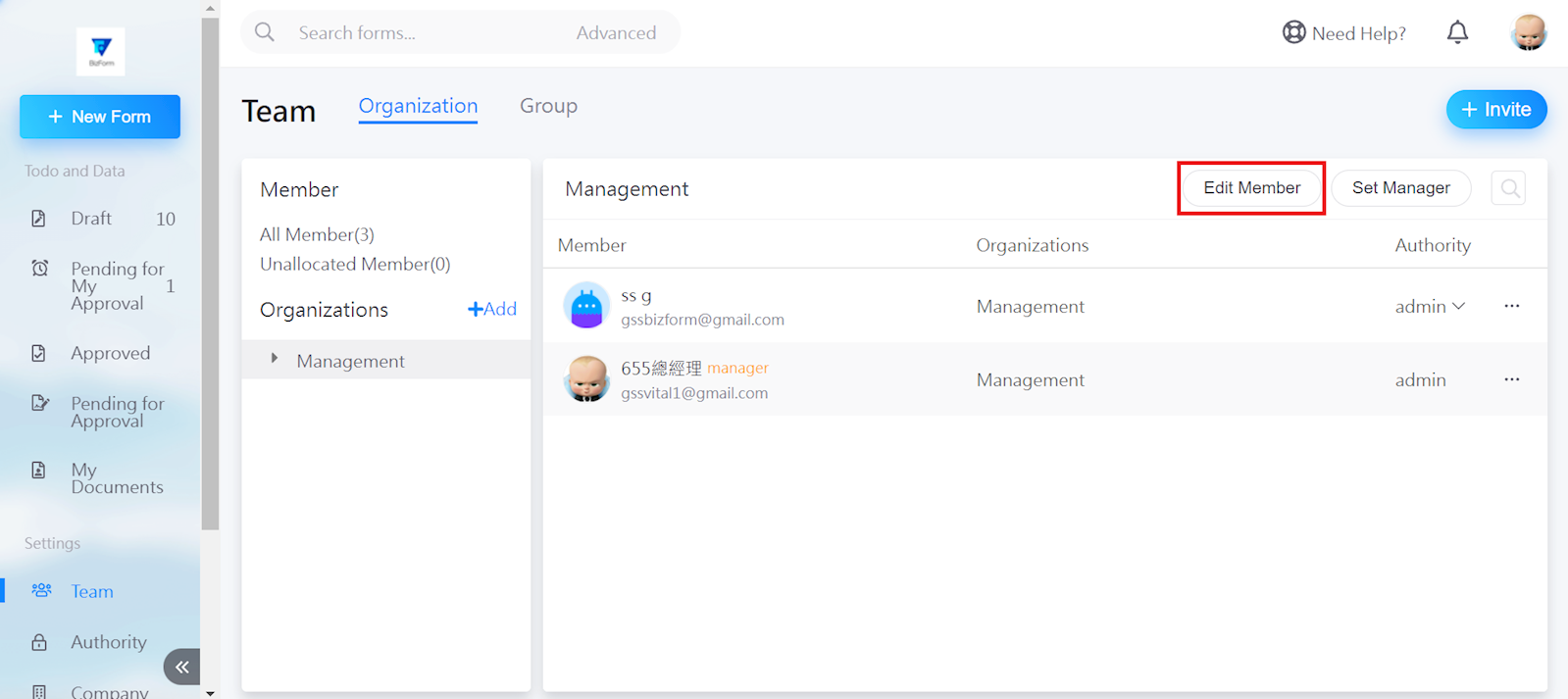
Select [Edit Member] in the top right.
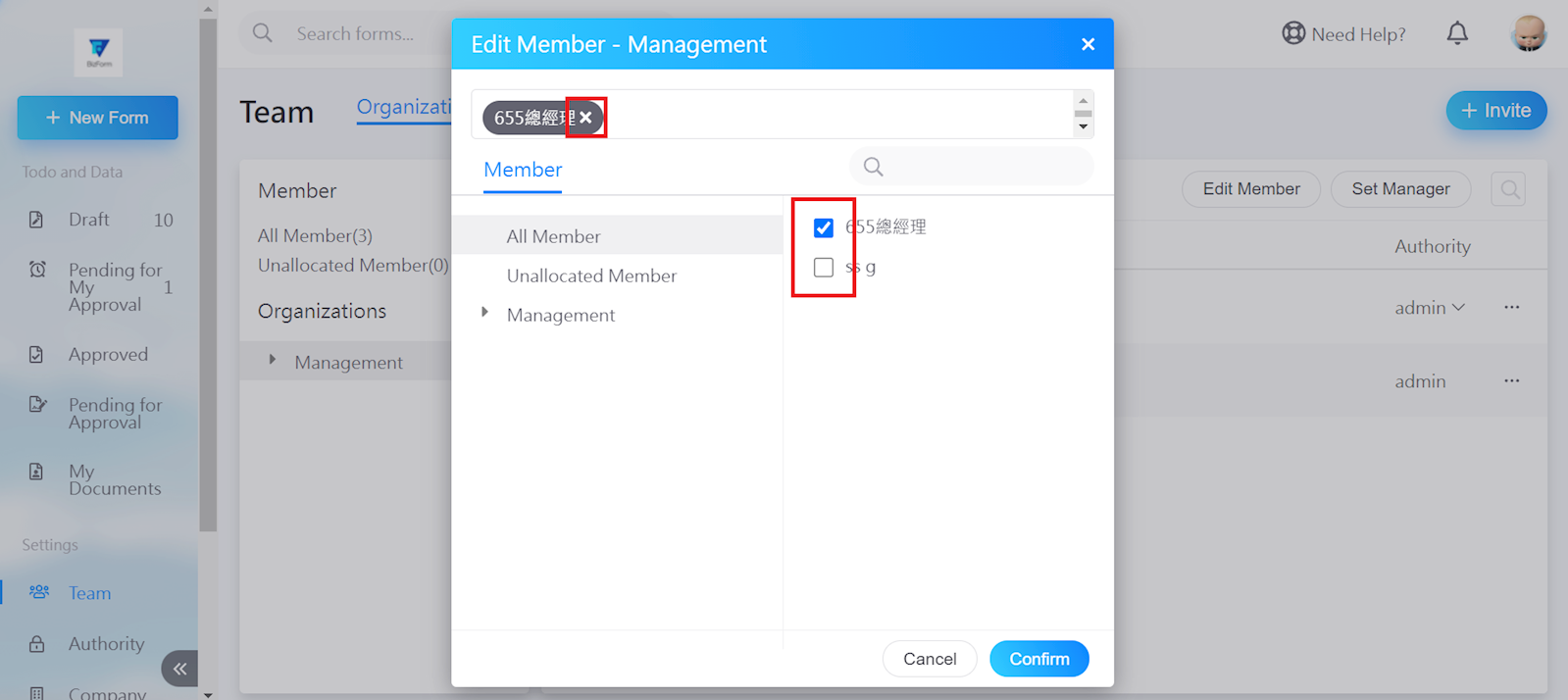
Click the [X] next to the member's name, or uncheck the member from the box to the right to remove. Then, click [Confirm].
https://faq.vitalyun.com/EN/BizForm#2944