
Vital BizForm
How to Categorize Templates?
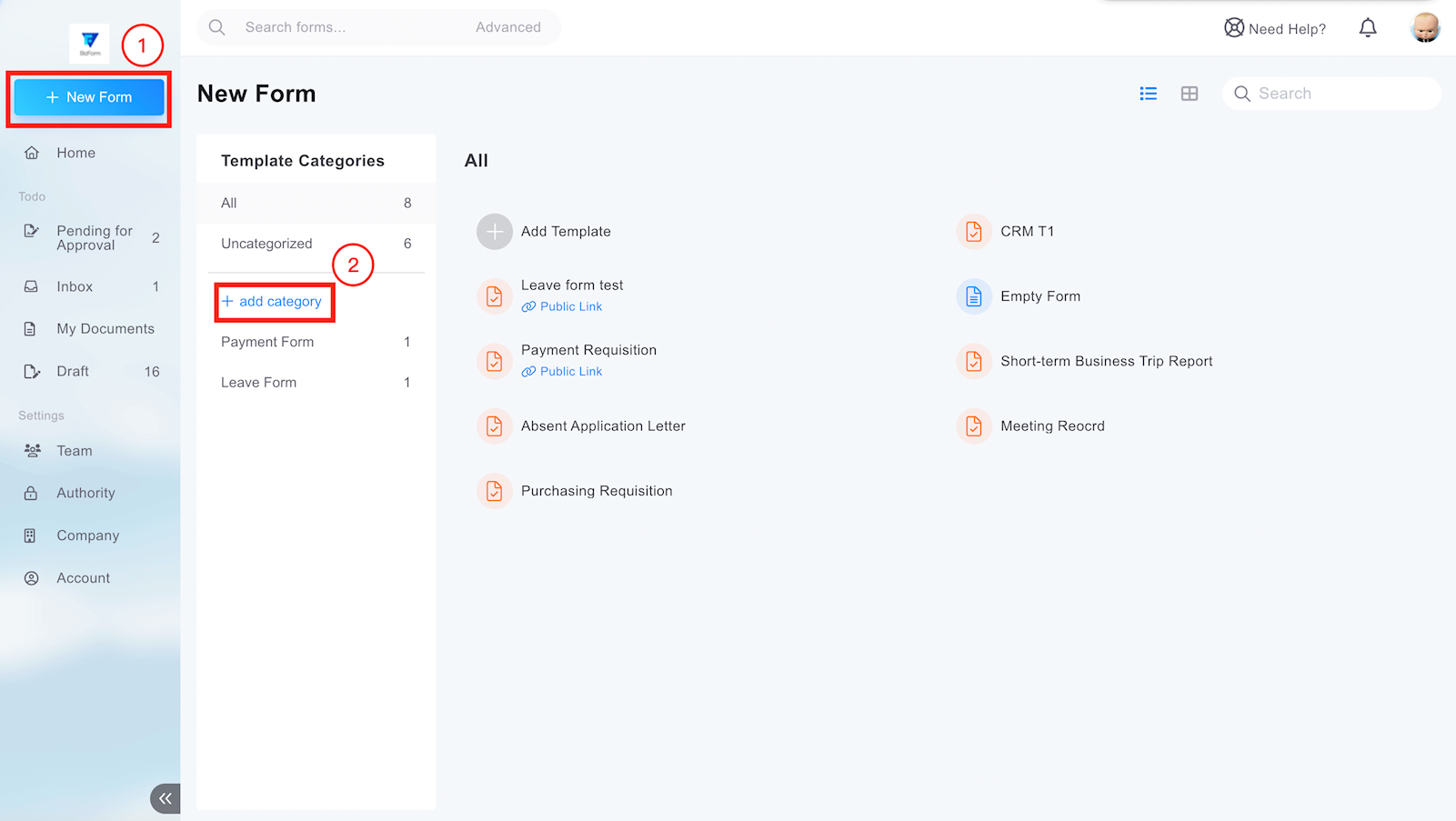
1. Click [+New Form] and then you'll see [+add category] button.
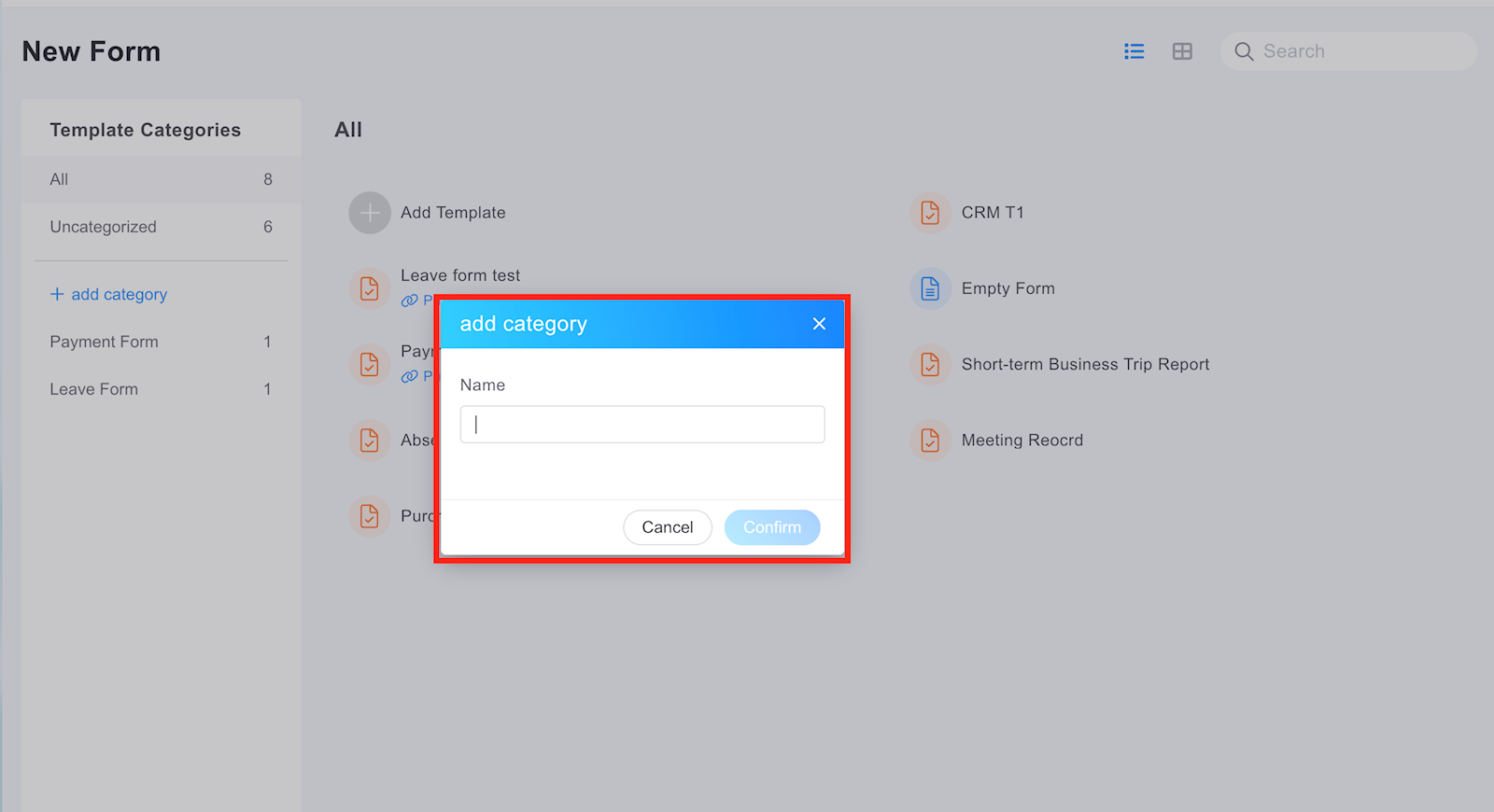
2. Type the name of category and click [Confirm].
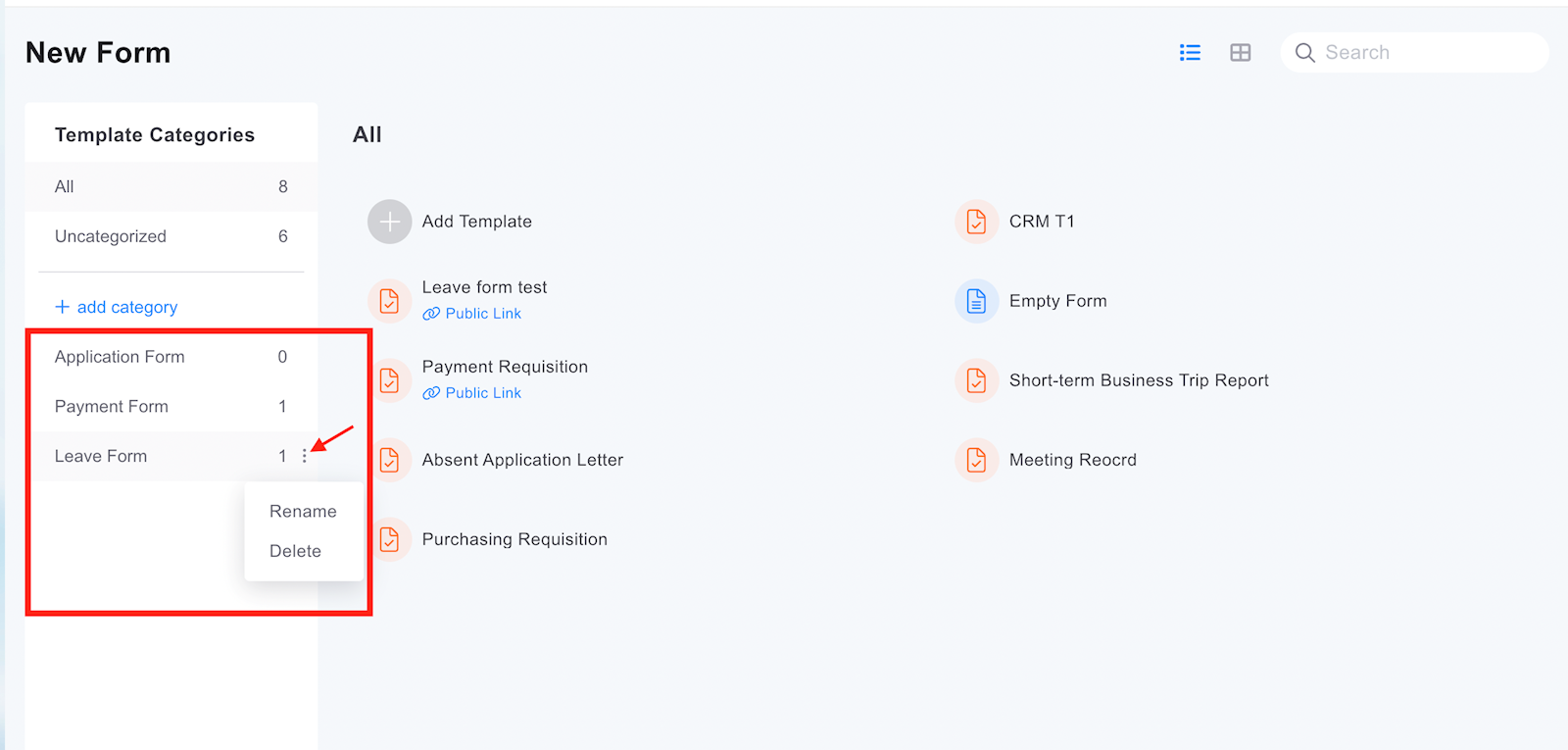
Then you'll see the category you added on the left. Click the 3-dot icon, you can rename the category or delete it.
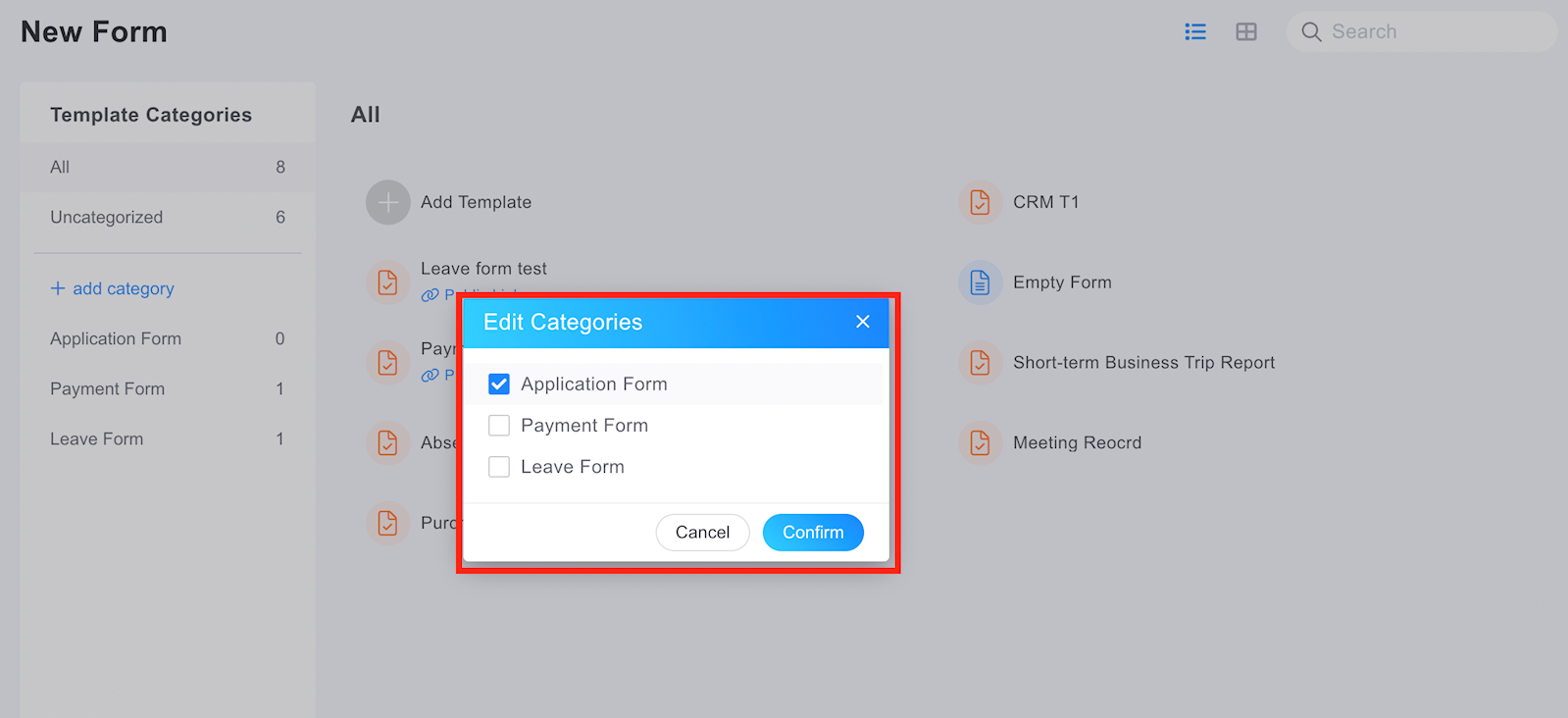
3. Hover over the template name and click arrow. Then click [edit Categories] in the menu.
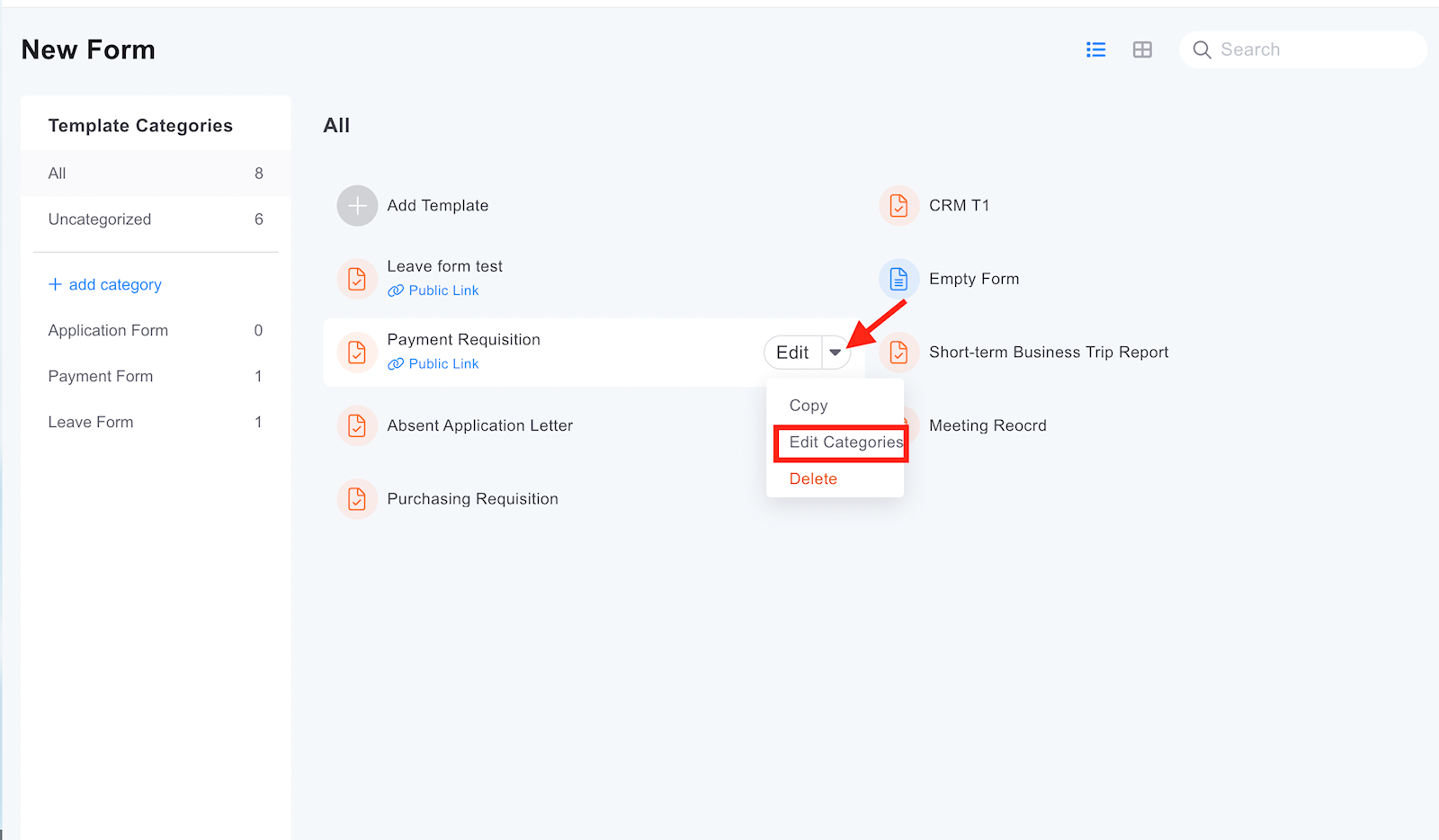
You can tick the category of the form and click [Confirm] button to put the form into the category you assigned.
https://faq.vitalyun.com/EN/BizForm#3423