
Vital GL
How can I add an income and expenditure statement?
Please follow the instructions below to add an income and expenditure statement:
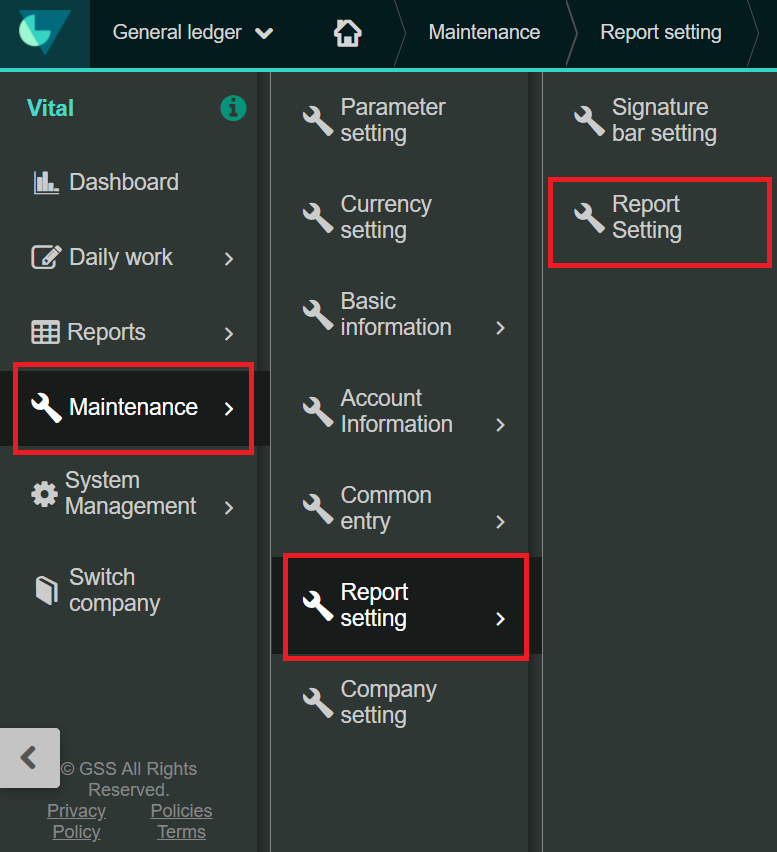
1. In the entry on the left, go to [Maintenance] > [Report setting] > [Report setting].
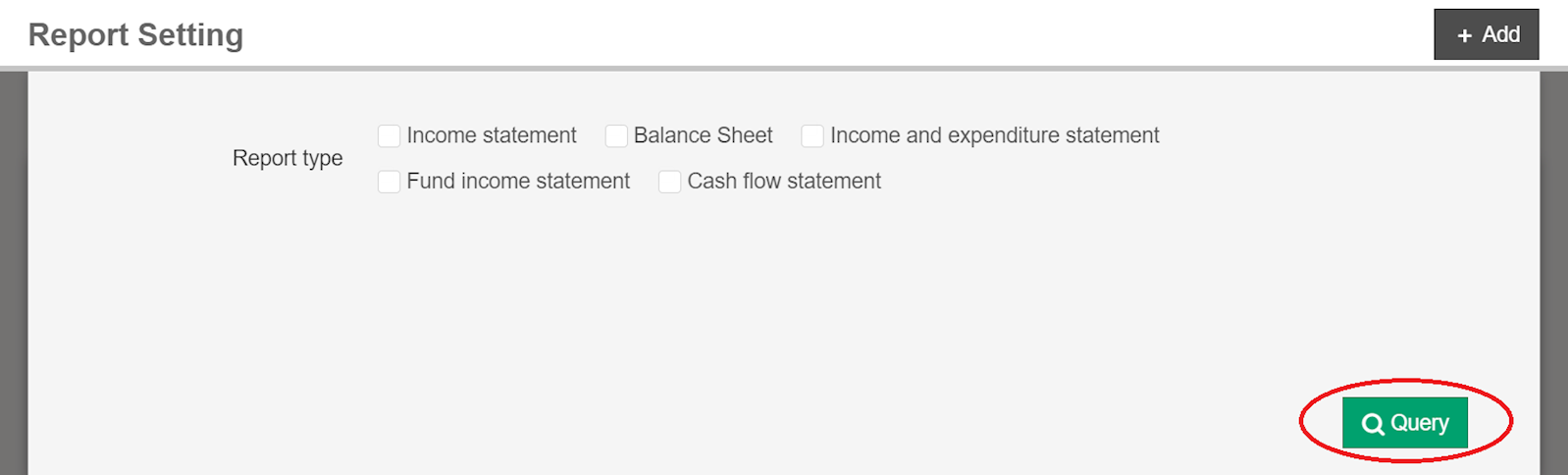
2. Click the green [Query] button.
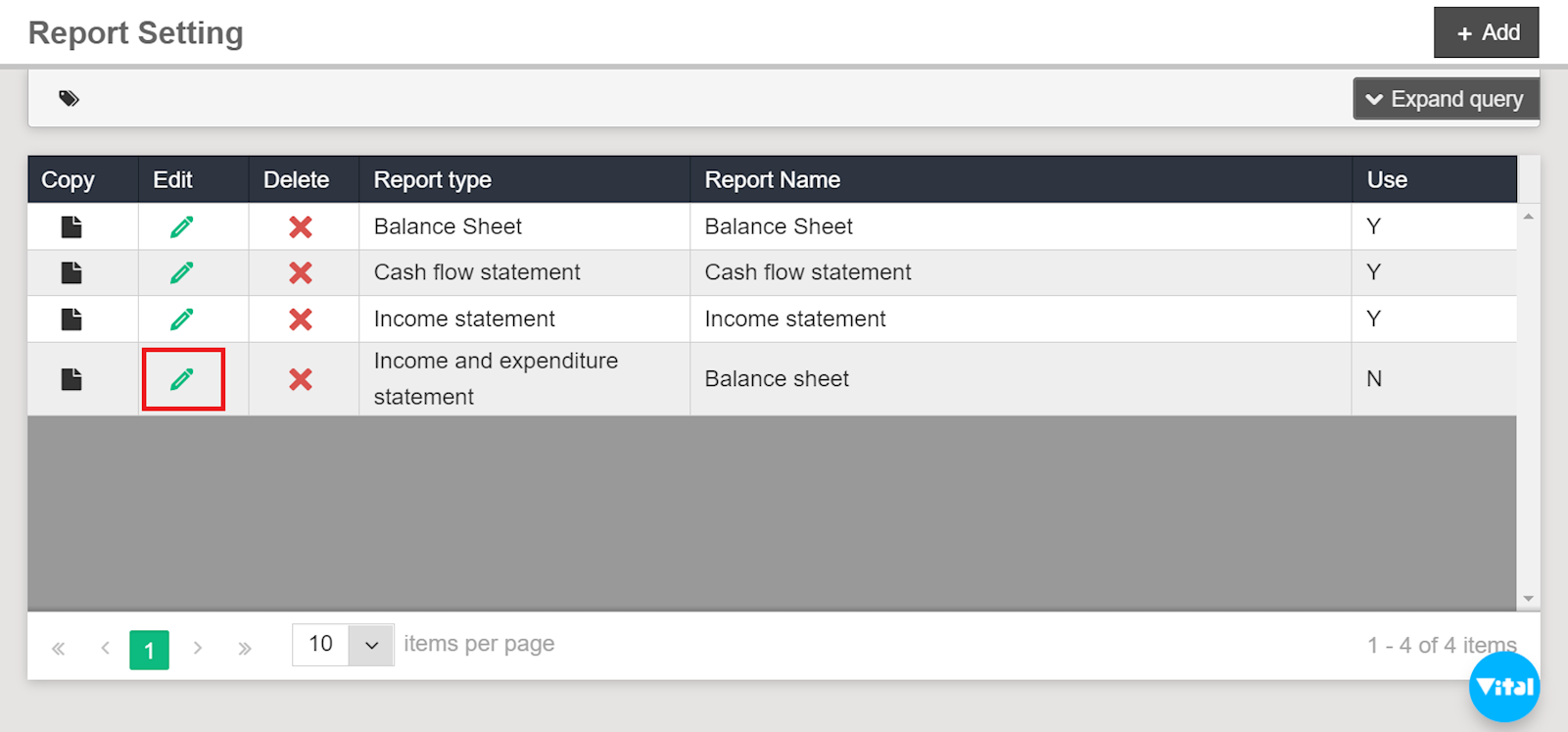
3. Find "income and expenditure statement" in the list, and select [Edit].
4. Select [Add] in the left corner.
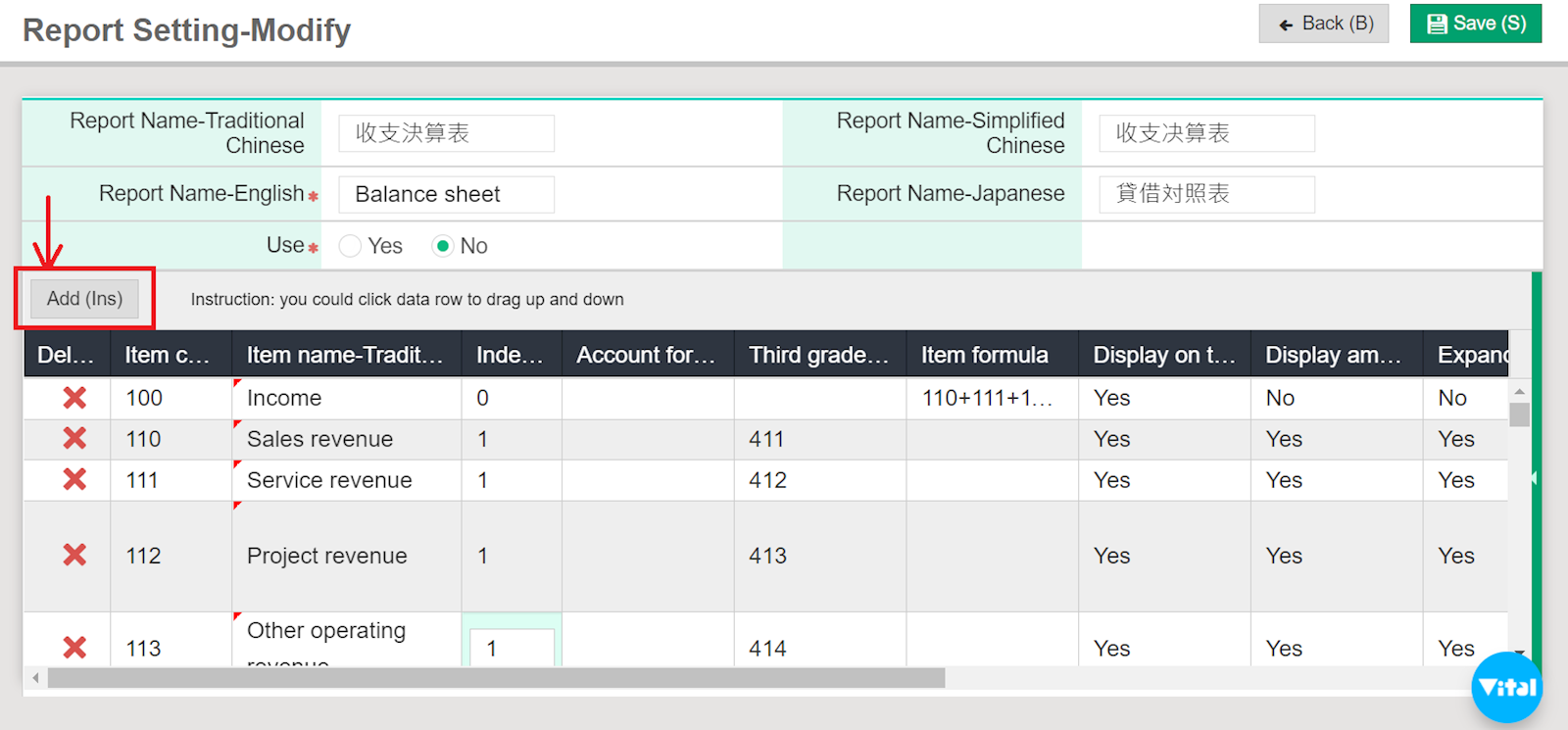
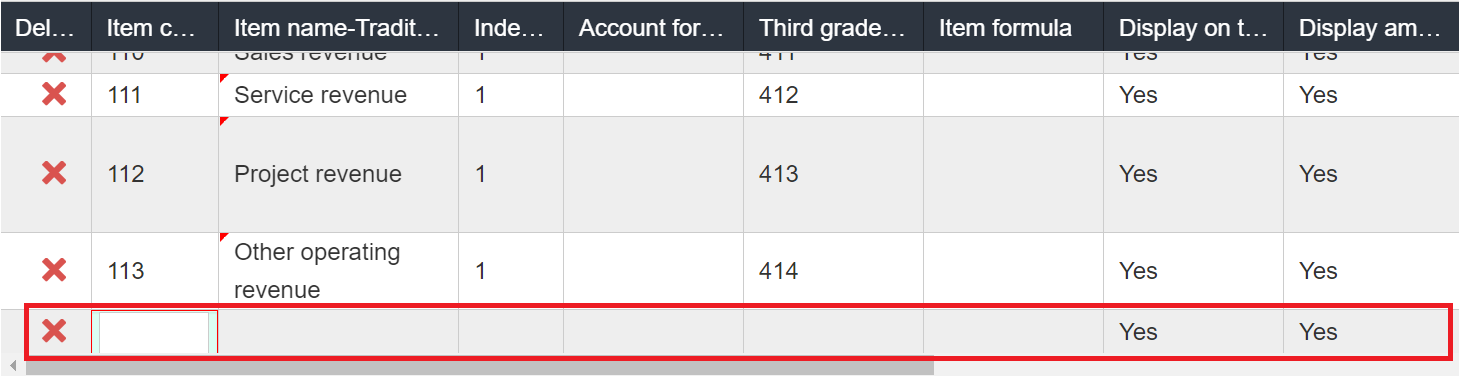
5. Scroll to the bottom of the listing, and start editing.
*Reminder: "Item code" and "Item name" are required fields
https://faq.vitalyun.com/EN/Finance#2762