
Vital GL
How do I set the indentation settings?
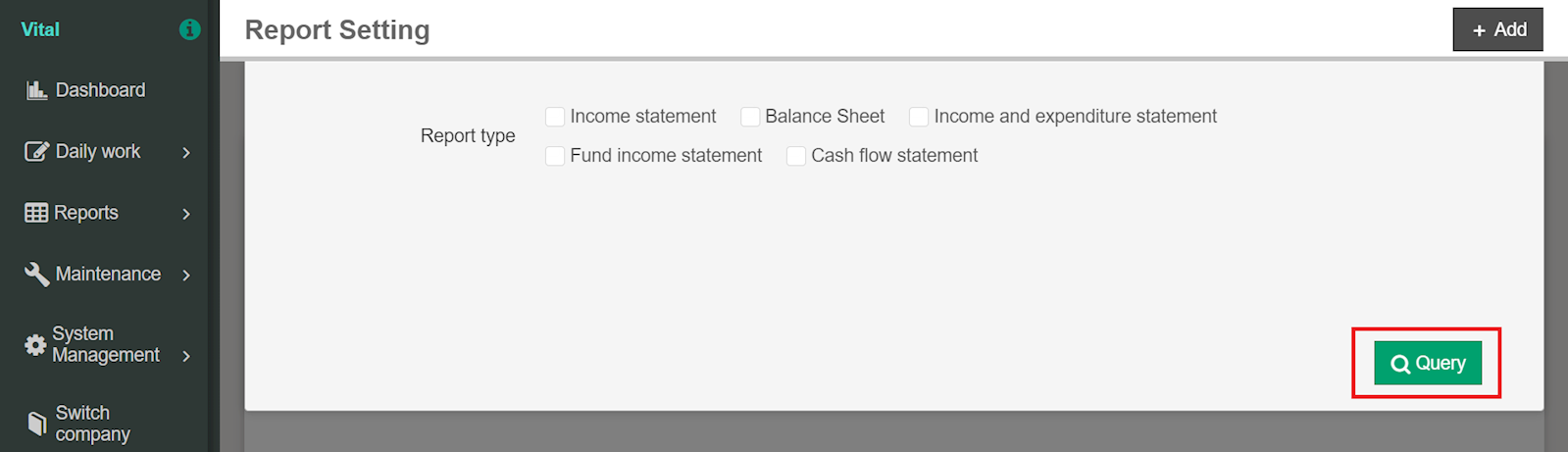
1. Go to [Maintenance] > [Report setting] > [Report setting]. After checking the report, click [Query].
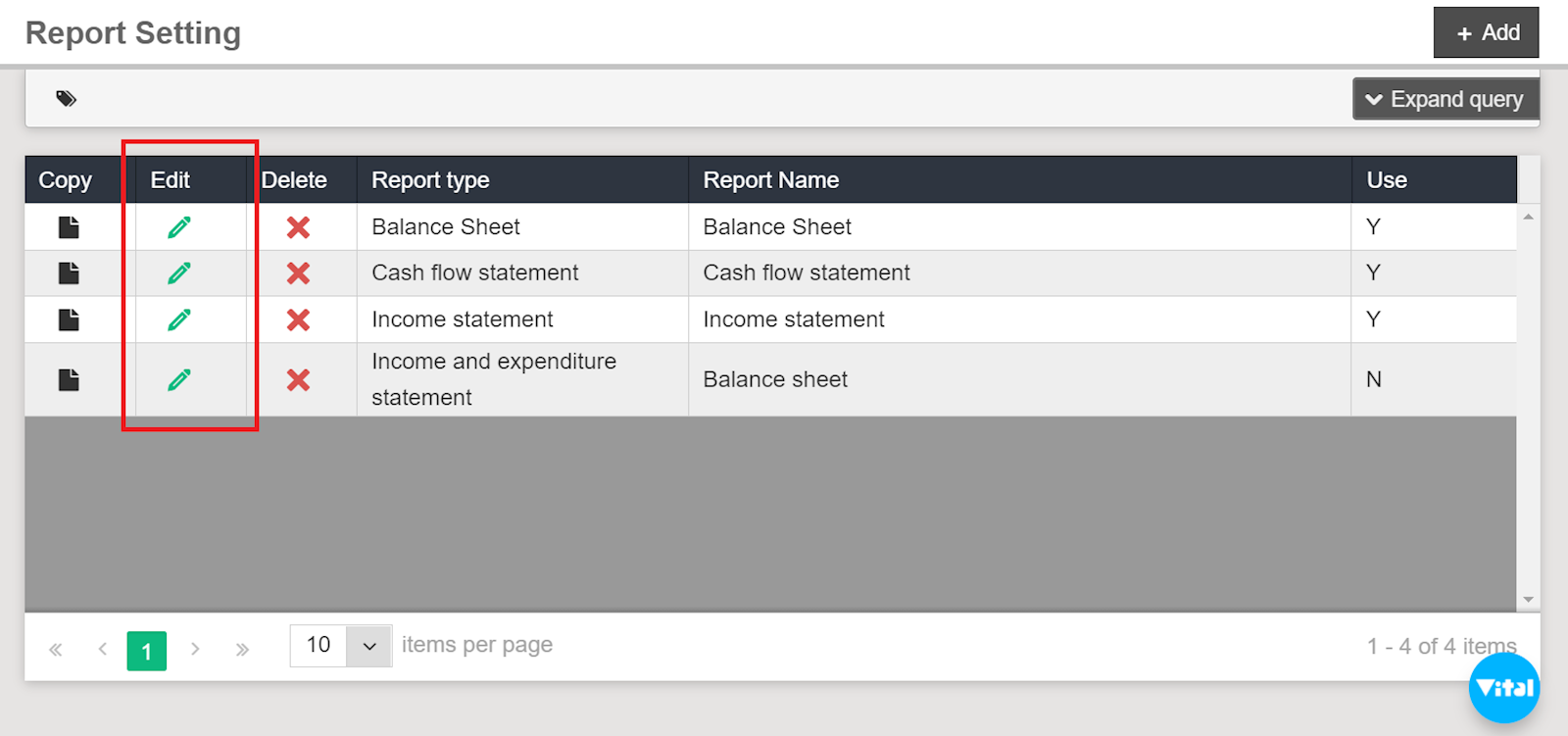
2. Select the pencil icon to [Edit] the report.
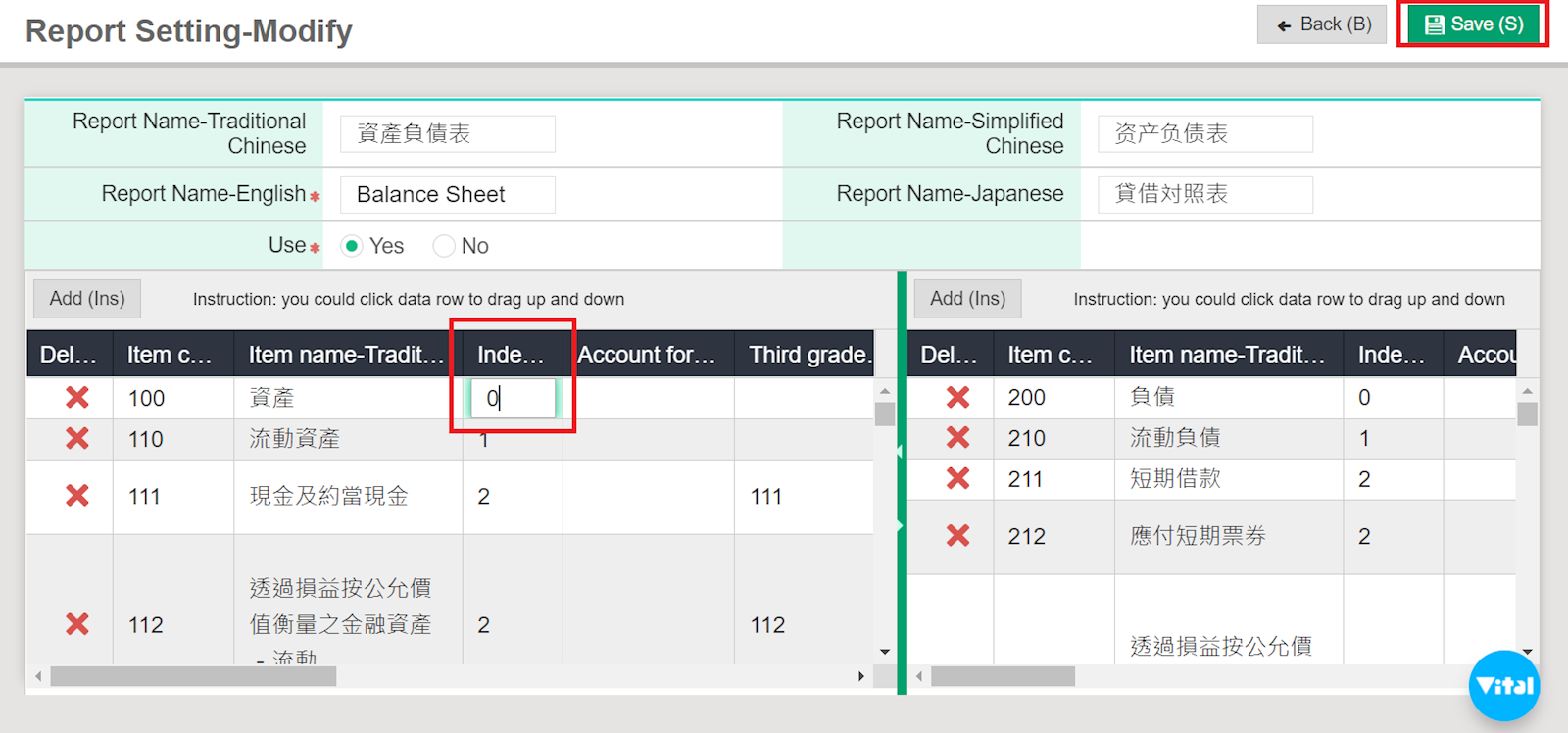
3. After finding the item you wish to edit, click the column under "Indentation" and enter the indentation number. Once finished, don't forget to hit [Save].
https://faq.vitalyun.com/EN/Finance#2780