
雲端家族
How do I add the website shortcuts of Vital Cloud products into cellphone home screen?
The instruction is divided into two parts: Safari and Chrome.
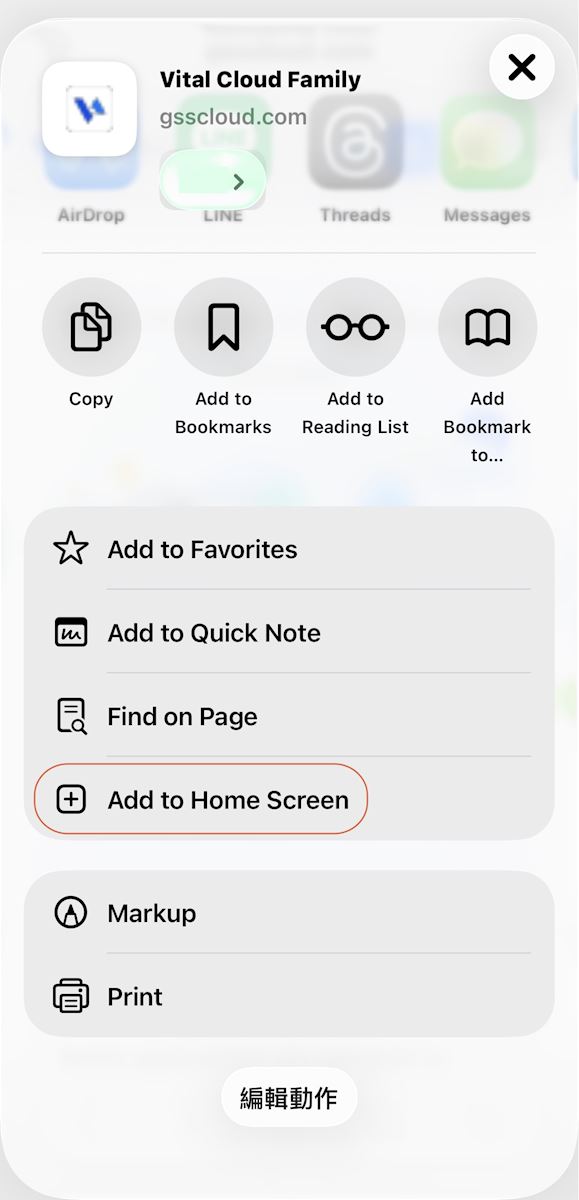
※Safari:
Please, go to the web page of preset shortcut, click the icon below in the picture and find "Add to home screen" to add the web page into the home page.

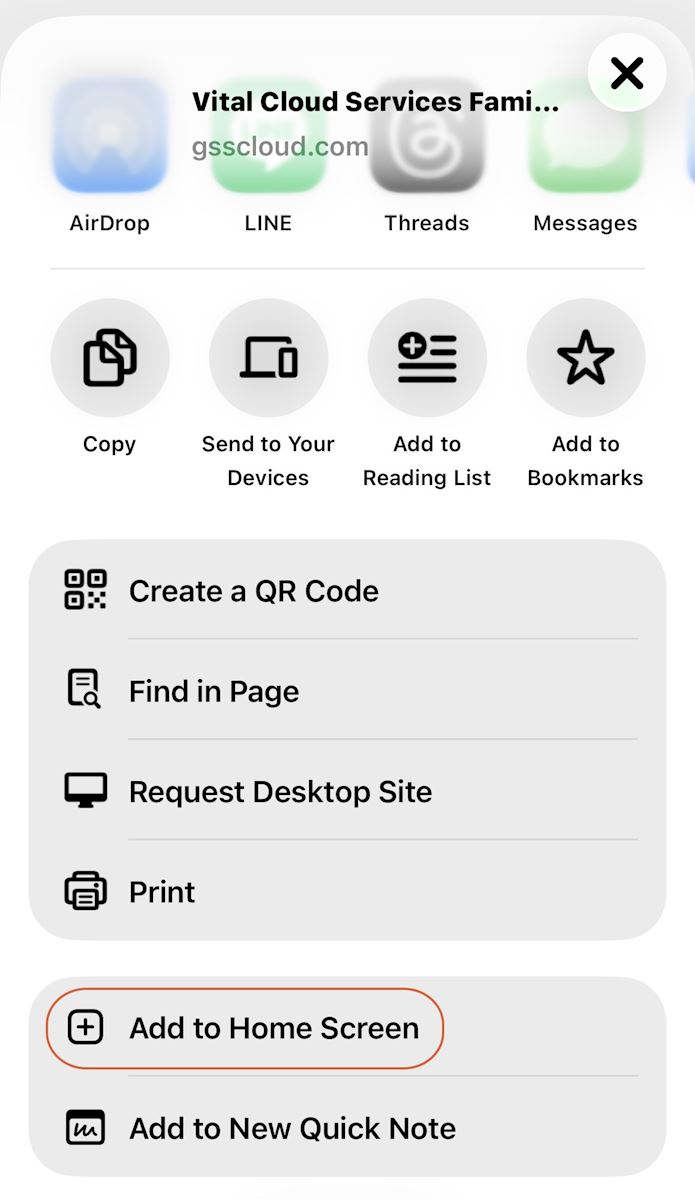
※Chrome:
Please, go to the web page of preset shortcut, click the customized list icon and find "Add to home screen" to add the web page into the home page.

https://faq.vitalyun.com/EN/CRM#1596