
Vital KM
How do I set up the approval workflow when creating, modifying, or deleting a document?
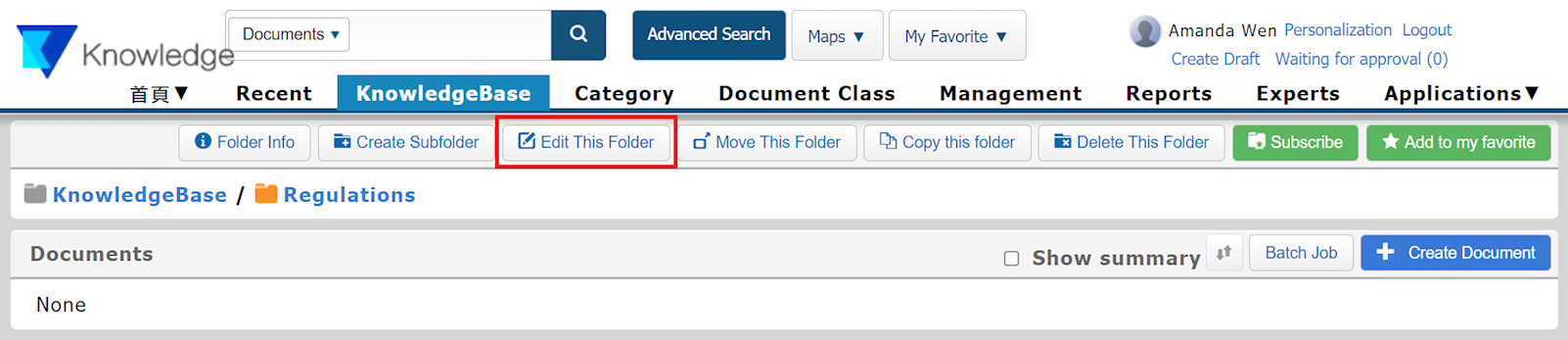
1. Go to [Knowledgebase] and select the folder which you wish to set the approval settings. Then, click on [Edit This Folder].
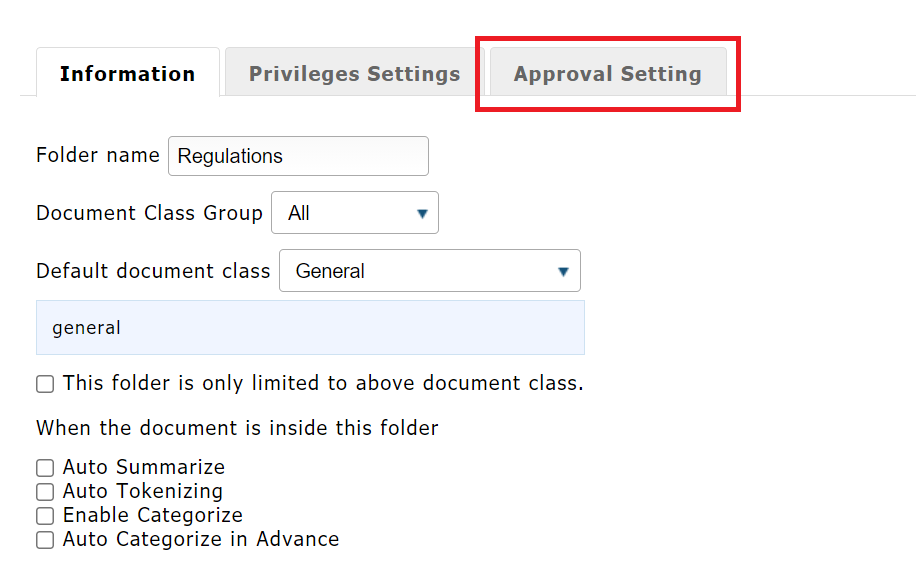
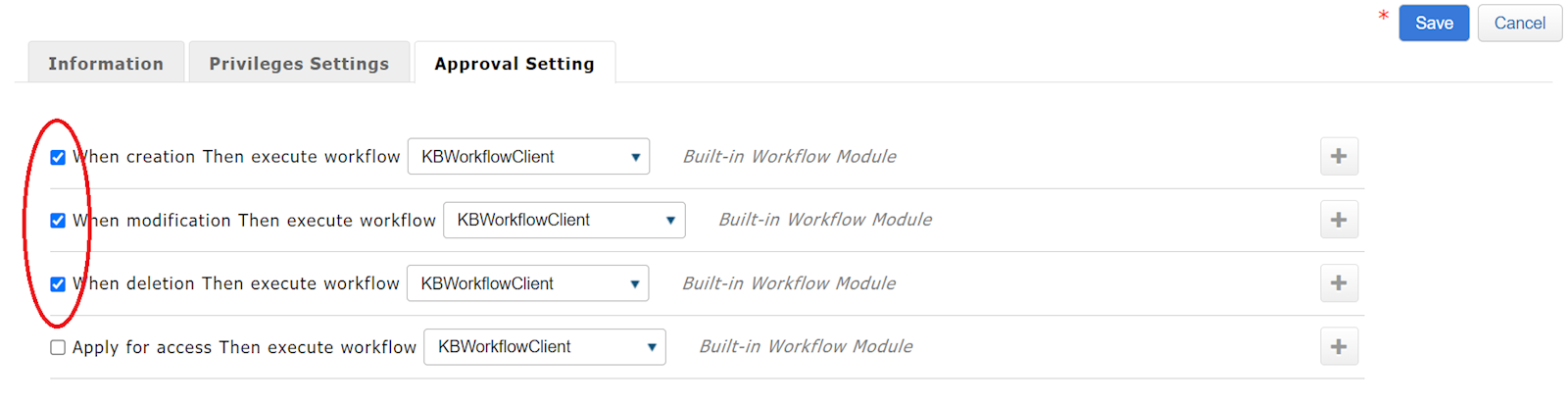
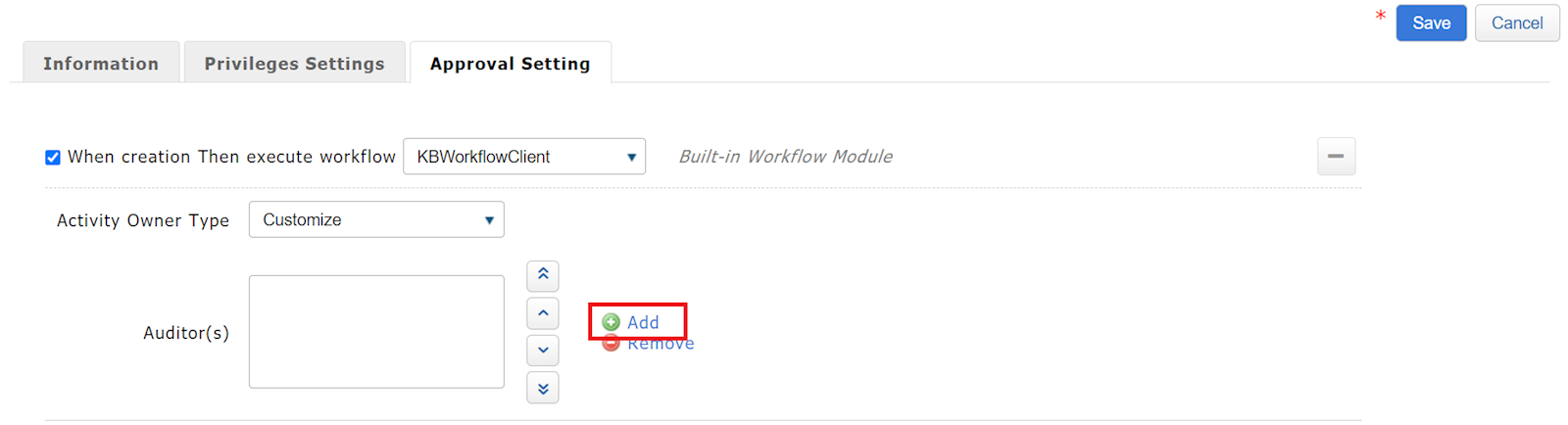
2. Select [Approval Setting], and check [When creation], [When modification], or [When deletion] according to your needs. (Multiple choices are allowed)
3. You can choose between "KB Workflow Client" and "Improved KB Workflow Client" on how to carry out the procedure.
* KB Workflow Client: Approval from only one auditor is needed.
* Improved KB Workflow Client: The document needs to be approved by all auditors. In this case, please select two or more members as auditors.
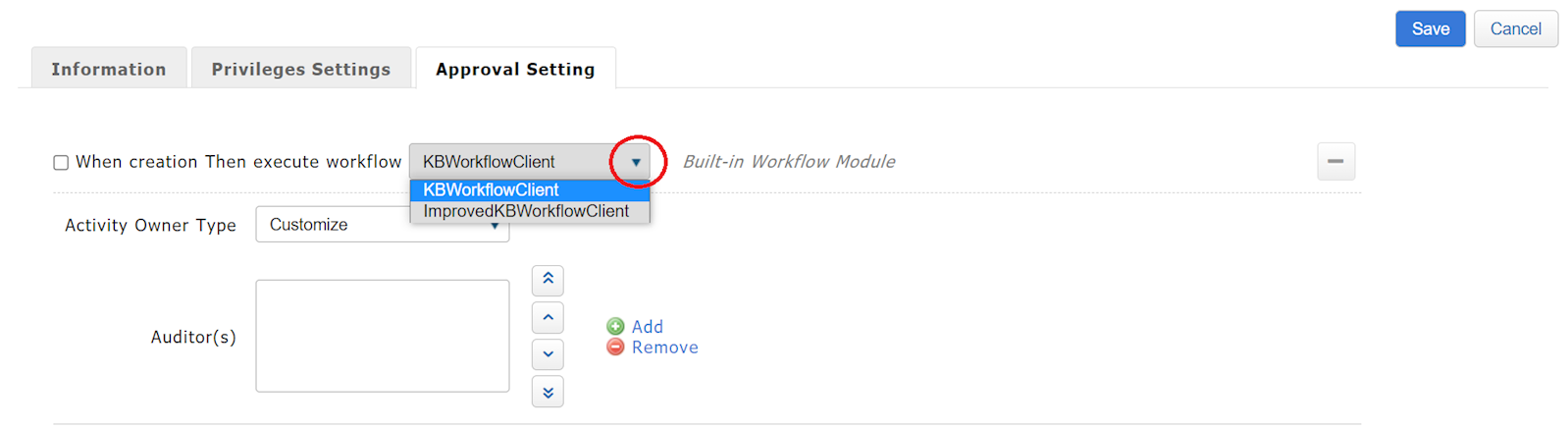
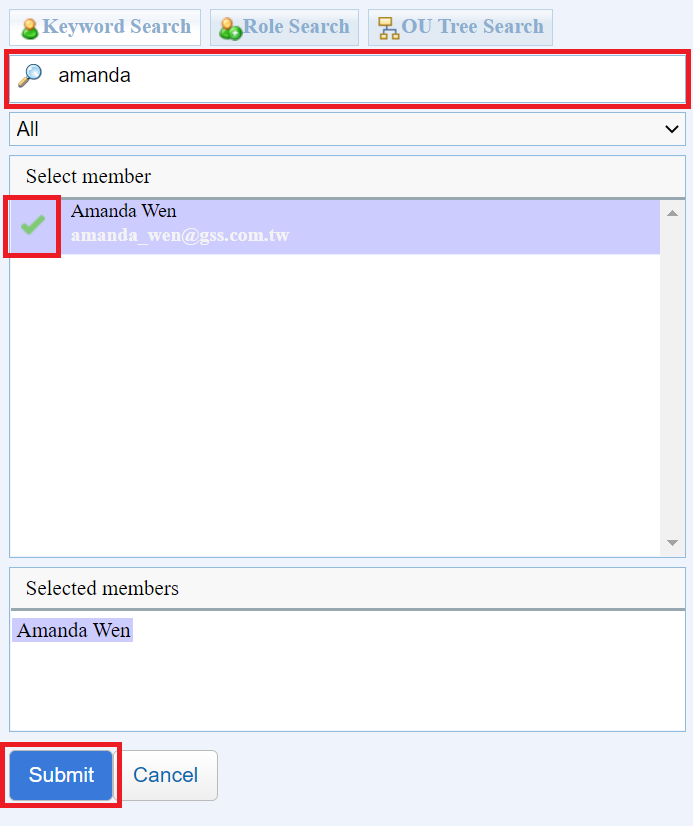
3. Click [Add] to add members to help approve. You can search for the user using Keyword Search, then click [Submit] after selecting the member's name.
https://faq.vitalyun.com/EN/Knowledge#2692