
Vital CRM
How can I change my display name?
You can log in Vital Cloud Services Family to modify display name on account dashboard.
Vital Cloud Services Family: https://www.gsscloud.com/en/
1. Click on [Sign up] and log in Vital Cloud Services Family.

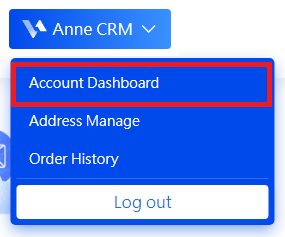
2. You will return to our homepage after logging in successfully. Click on [Account Dashboard] on the drop-down list by user name.
3. You can modify your given name, surname, and display name in your profile of account dashboard. Please click on [Save] to save the changes.
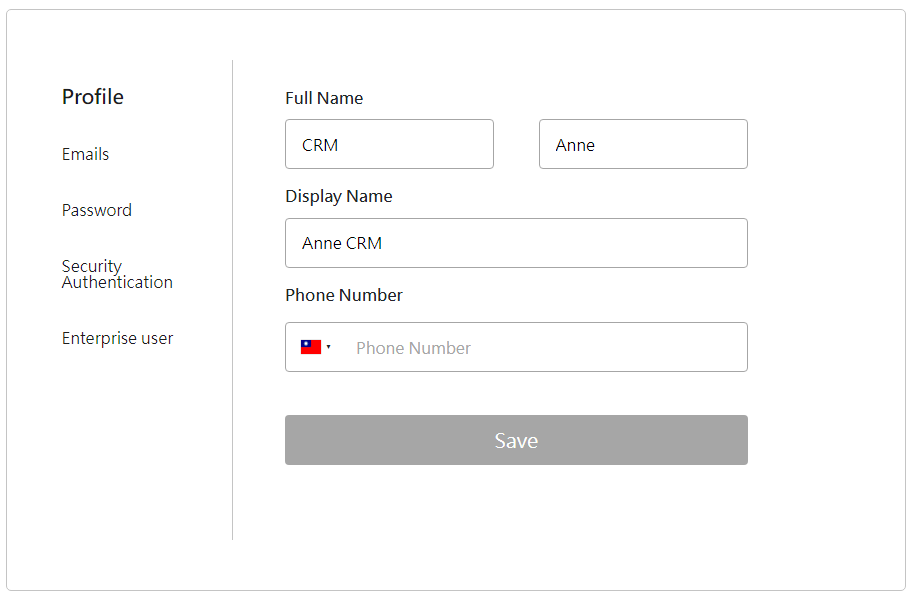
* Note that you will not see the modified display name right after the change. Only after you log out then log in again will the modified display name be shown.
https://faq.vitalyun.com/EN/CRM#4049