
Vital CRM
How to check account login records?
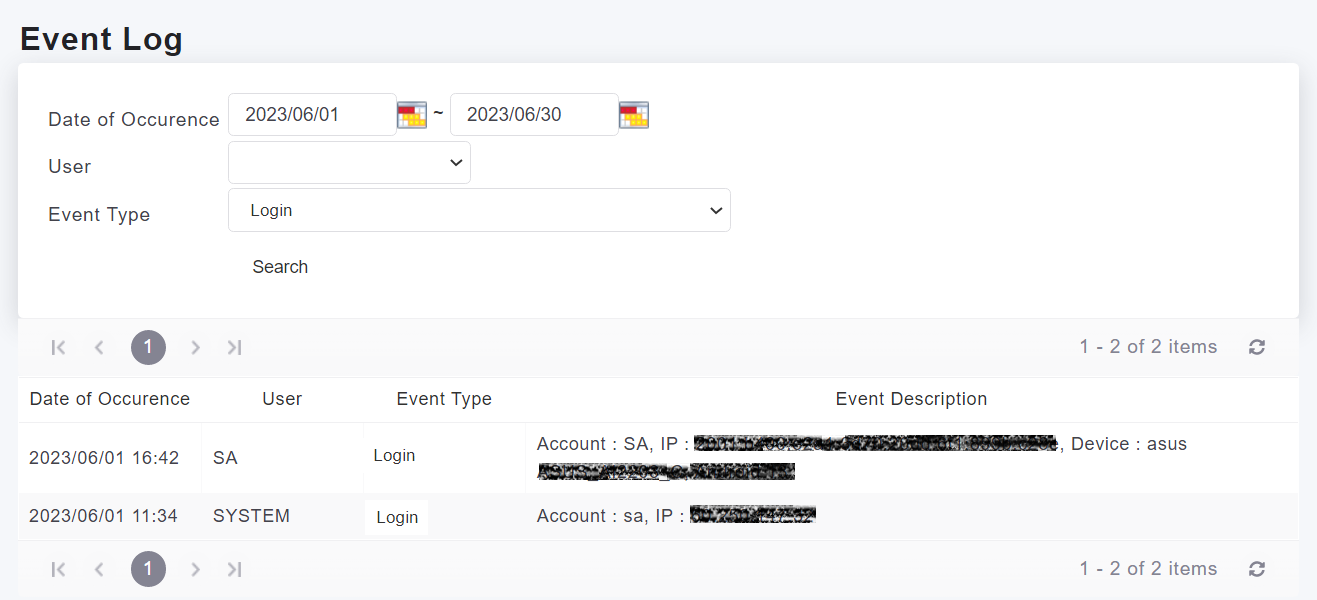
To check account login records, you can click on [Settings > System > Event Log].
In the Event Log, select the event type as "Login", and click on the search button. You will be able to see the operator, the logged-in account, and the IP location.
https://faq.vitalyun.com/EN/CRM#4495