
Vital KM
API Key settings
When conducting the API cascade connection, an API site URL and API Key should be provided for the engineer to successfully complete the interfacing. The instructions are below:
API link
Add an additional "/API" to the end of the system login URL, which will become the API URL. For example, http://km.vitalyun.com/123456/api .
API Key settings (operated by admin)
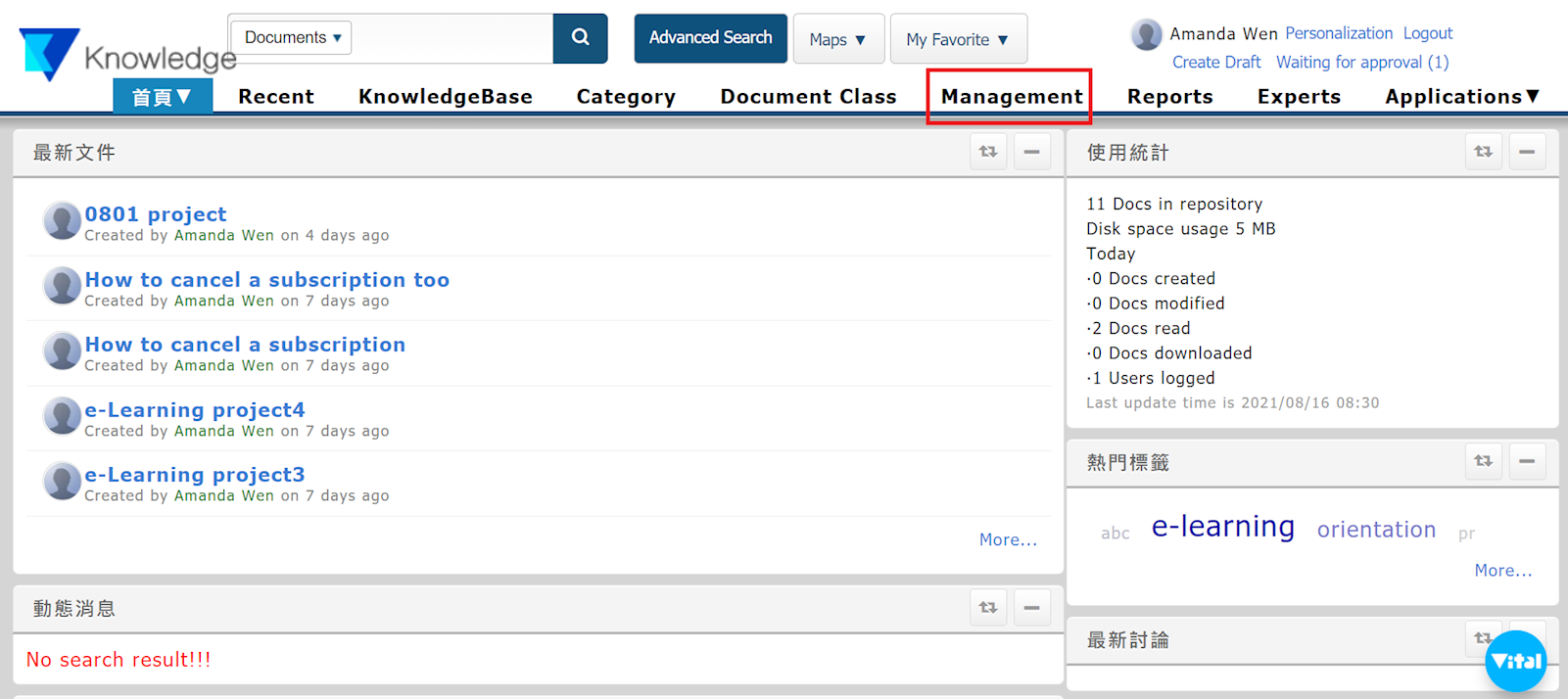
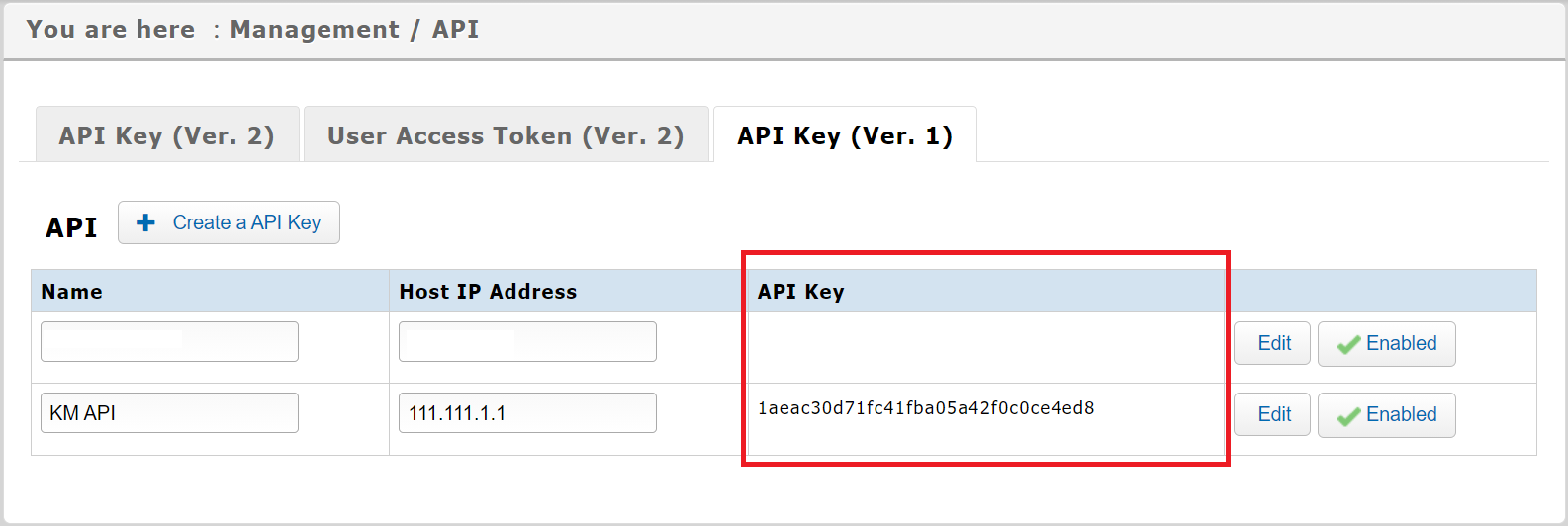
1. Once logged into the system, go to [Management] > [API].
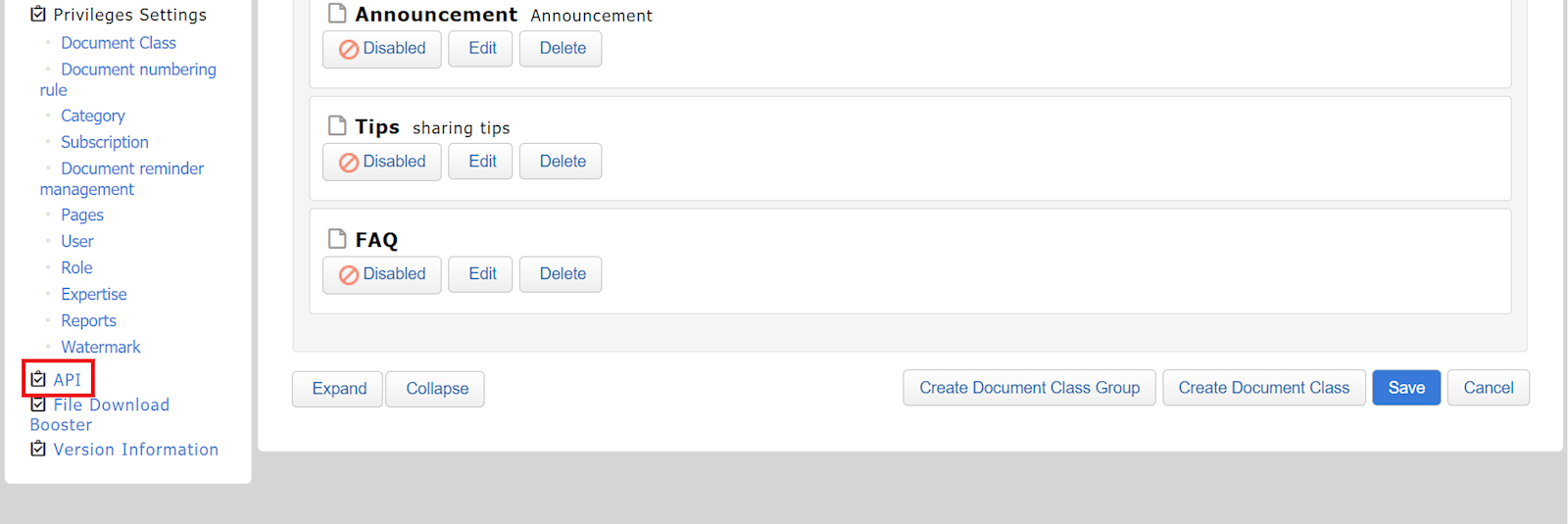
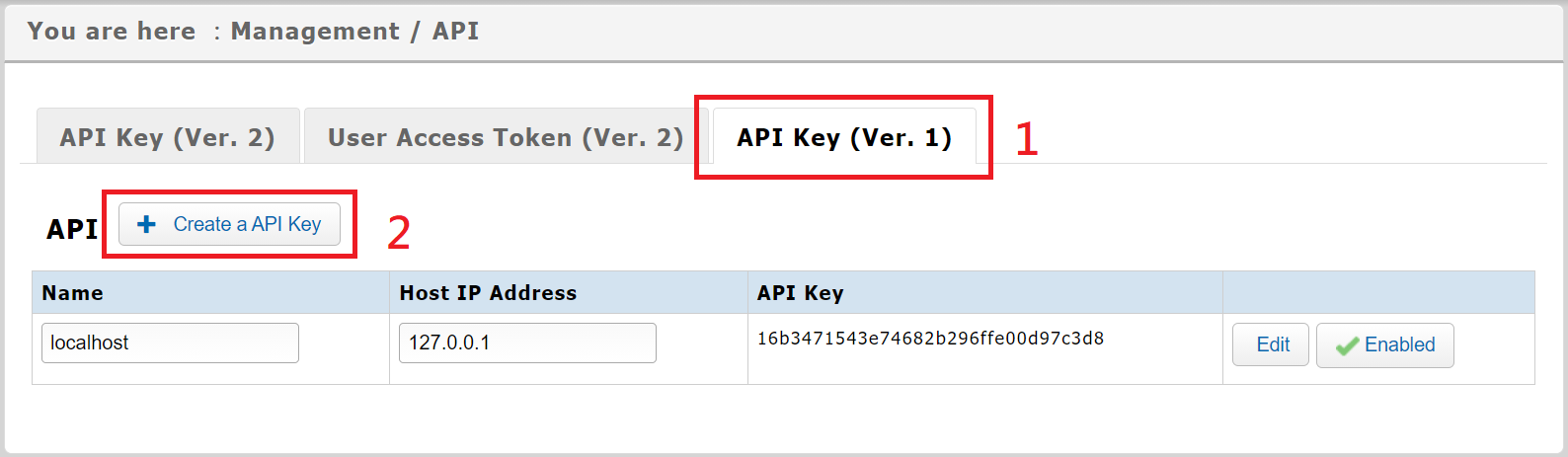
2. Select the "API Key(Ver.1)" tab, and choose [+Create a API Key].
3. Create a name for the API Key, along with a host IP address, then click [Submit].
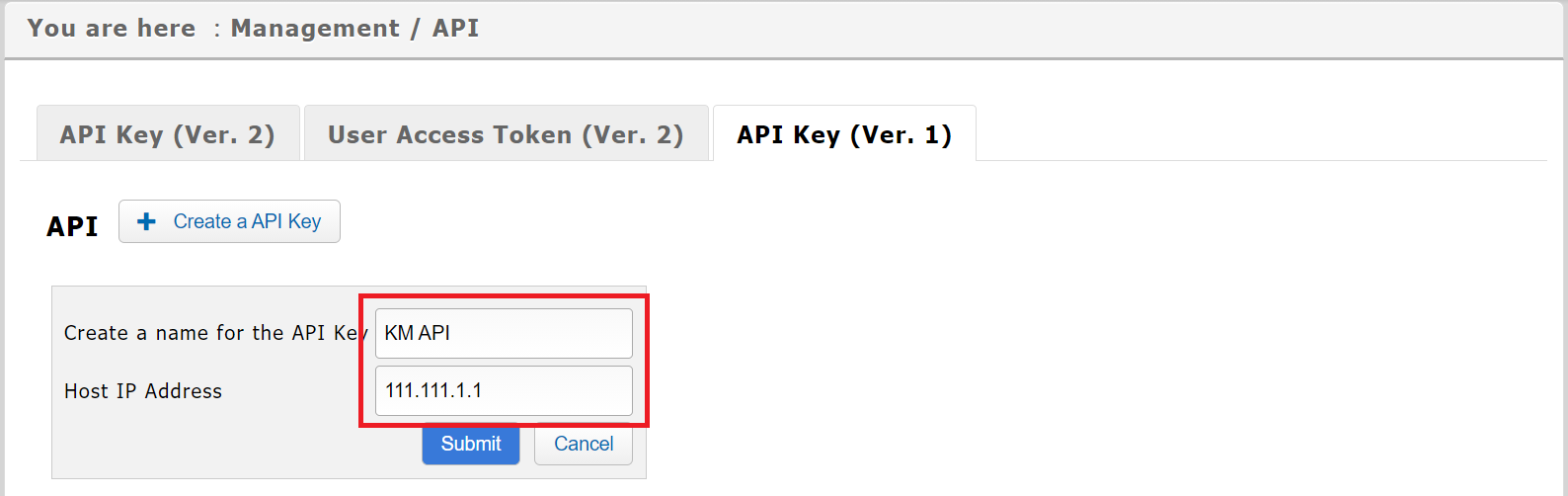
4. Once created, it will be listed below. Please provide your engineer with the information in the API Key column.
https://faq.vitalyun.com/EN/Knowledge#2731